I am a user of Language Reactor **AI Translation Pro.
While using Language Reactor recently, we encountered an issue where the AI translation feature on **YouTube and Netflix was not working properly, so we are reporting a bug.
Problem content
Previously, when playing videos on YouTube and Netflix, subtitles could be translated properly using Language Reactor’s AI translation feature.
However, currently the subtitles themselves display correctly, but there is a problem where AI translation does not run or the translation results are not shown.
What is especially important is that the subtitle recognition itself is not completely broken.
Even when the original subtitles display correctly, the AI translation does not produce results, so it seems to be a problem different from simply the absence of subtitles in the video.
Usage environment
Language Reactor: AI Translation Pro
Platform: YouTube / Netflix
Browser: Google Chrome
Operating system: Windows
Since I am using AI Translation Pro as a paid service, please verify and fix this so that the feature can be used properly.
If needed, you may be able to provide a screenshot of the screen where the problem occurs or additional reproduction information.
Hello @airsquirrel1204, thank you for your report!
Please help me better understand the situation. Do you mean that the translated subtitles aren’t appearing below the subtitles themselves? Or is LexaAI not working in the Dictionary for each word?
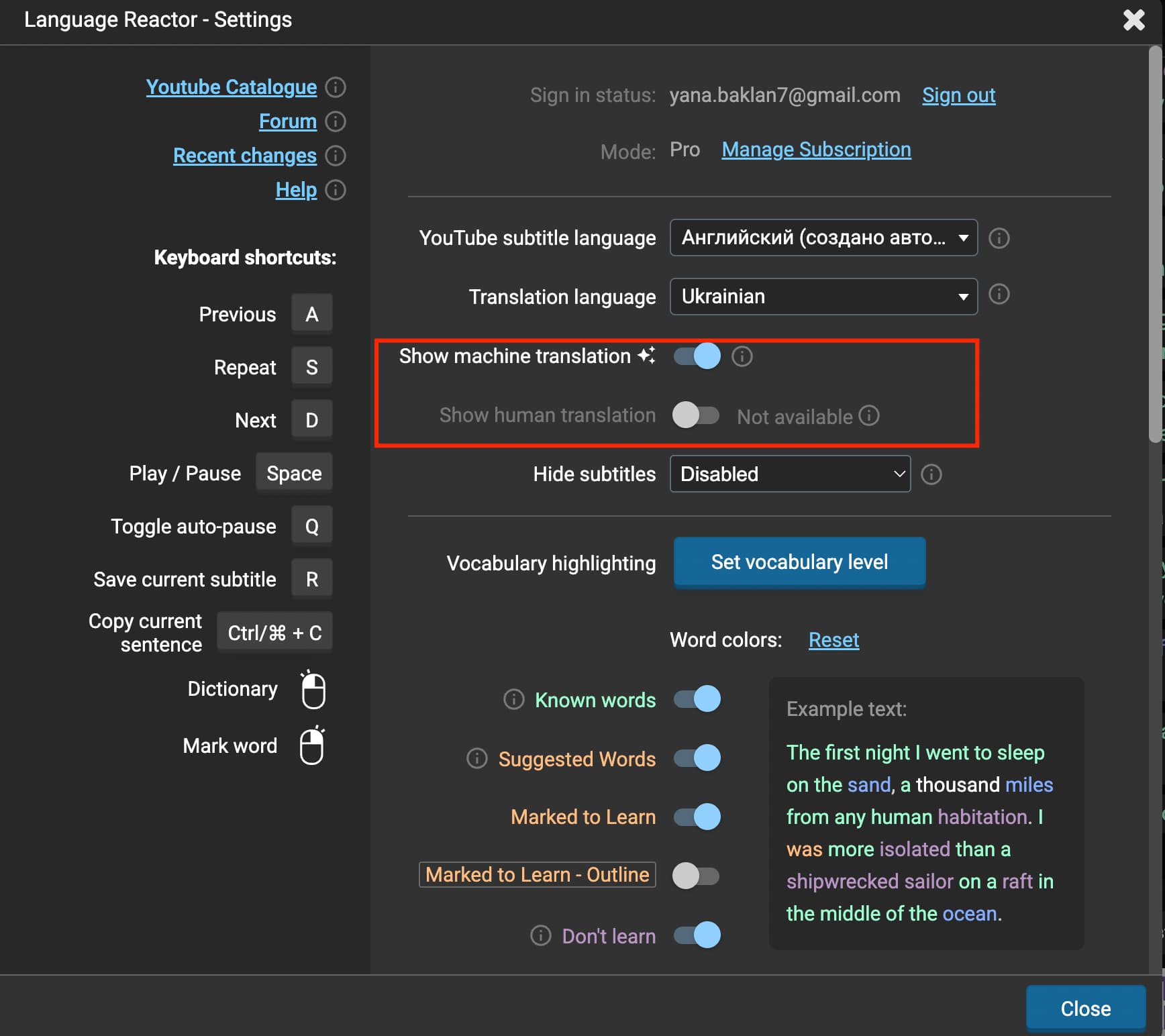
Please also make sure that available translation is enabled in your settings: the “Show machine translation” and “Show human translation” (if available) toggles. If available translation is turned off, the translated subtitles will not be displayed (see screenshot below).
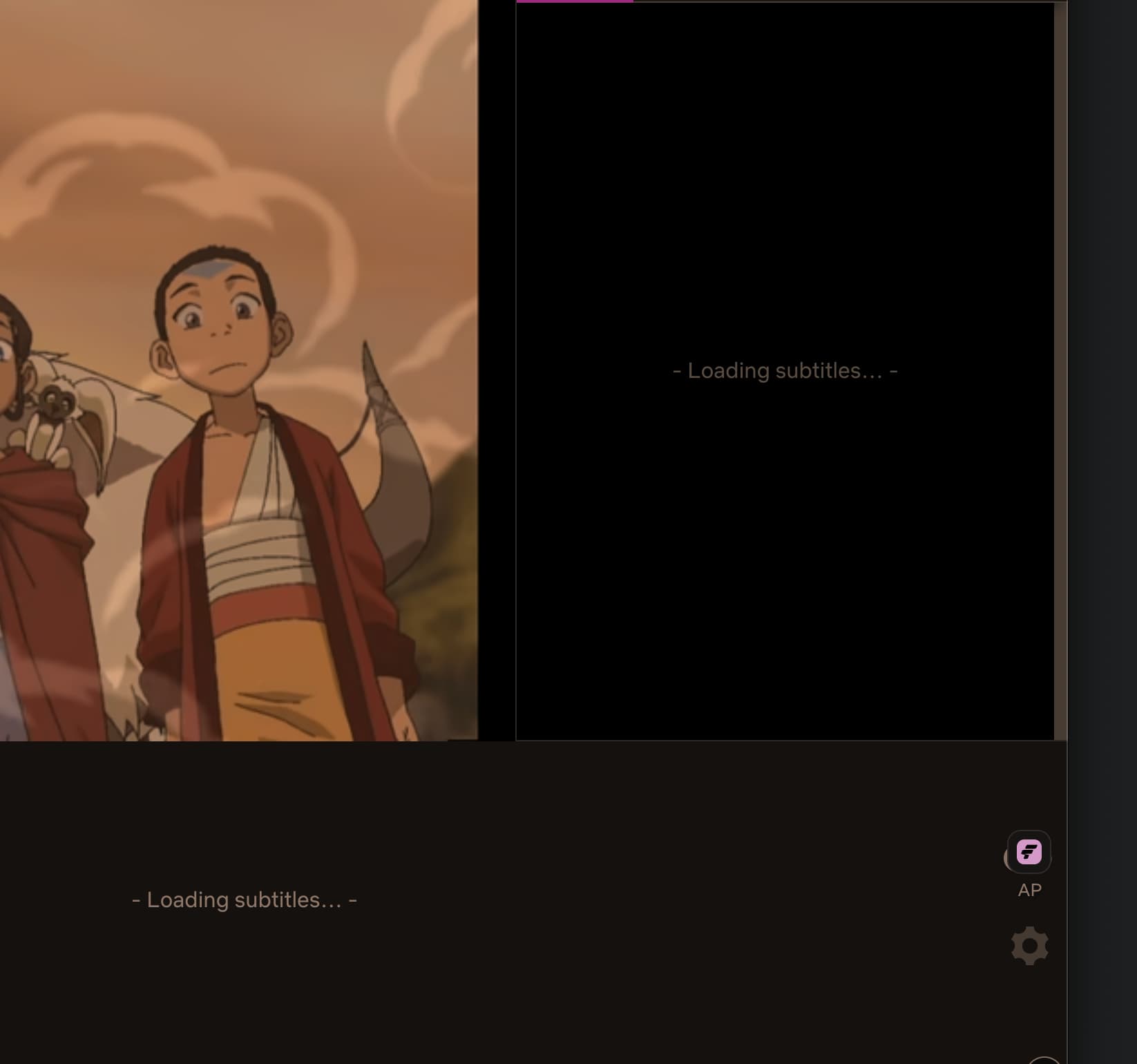
Hi @Yana I have the same issue too - attached image for context. AI translation is not showing up at all - it doesn’t seem to be working (even with show machine translation toggled on and translation language set to AI).
I’ve spoken with other language learners who use this and others AI language translations services to stream, and it’s broken for them too when they try using AI to translate. So might be an AI or netflix issue
Hi @hottawa, thanks for the extra context and the screenshot!
Just want to make sure I understand correctly when you say “AI translation,” do you mean:
The “Show machine translation” / translation language setting inside Language Reactor itself, or
A separate/third-party app or extension that you’re using alongside Language Reactor for AI translation?
If you are using a separate third-party AI translation app/extension alongside Language Reactor, could you try disabling it and checking whether Language Reactor’s subtitles load correctly on their own? That would help us narrow down where the issue is coming from.
Thanks again for your help!
@Yana 1 - I set the translation to machine (on pro) and it doesn’t load at all. I’ve disabled all other language extensions and it’s still the same issue. Reason I bring the other service is it also has AI translation and also has stopped translating or being able to find audio/subtitle files (friends have also run into this issue).
@hottawa thank you for the confirmation, that was very helpful. Since you’ve already ruled out other extensions and the page still isn’t loading, there are a few possible explanations on our end:
Netflix A/B Testing: Netflix sometimes rolls out experimental changes to a subset of accounts (A/B testing) before a wider rollout. If your account was included in one of these tests, it may be affecting the loading of subtitles or translations. You can opt out of this test yourself:
@Yana Yes this actually fixed it! Good to know that they’re testing something that breaks it if I was in that B cohort, but the machine translation is now working. Thanks for your prompt help and advice