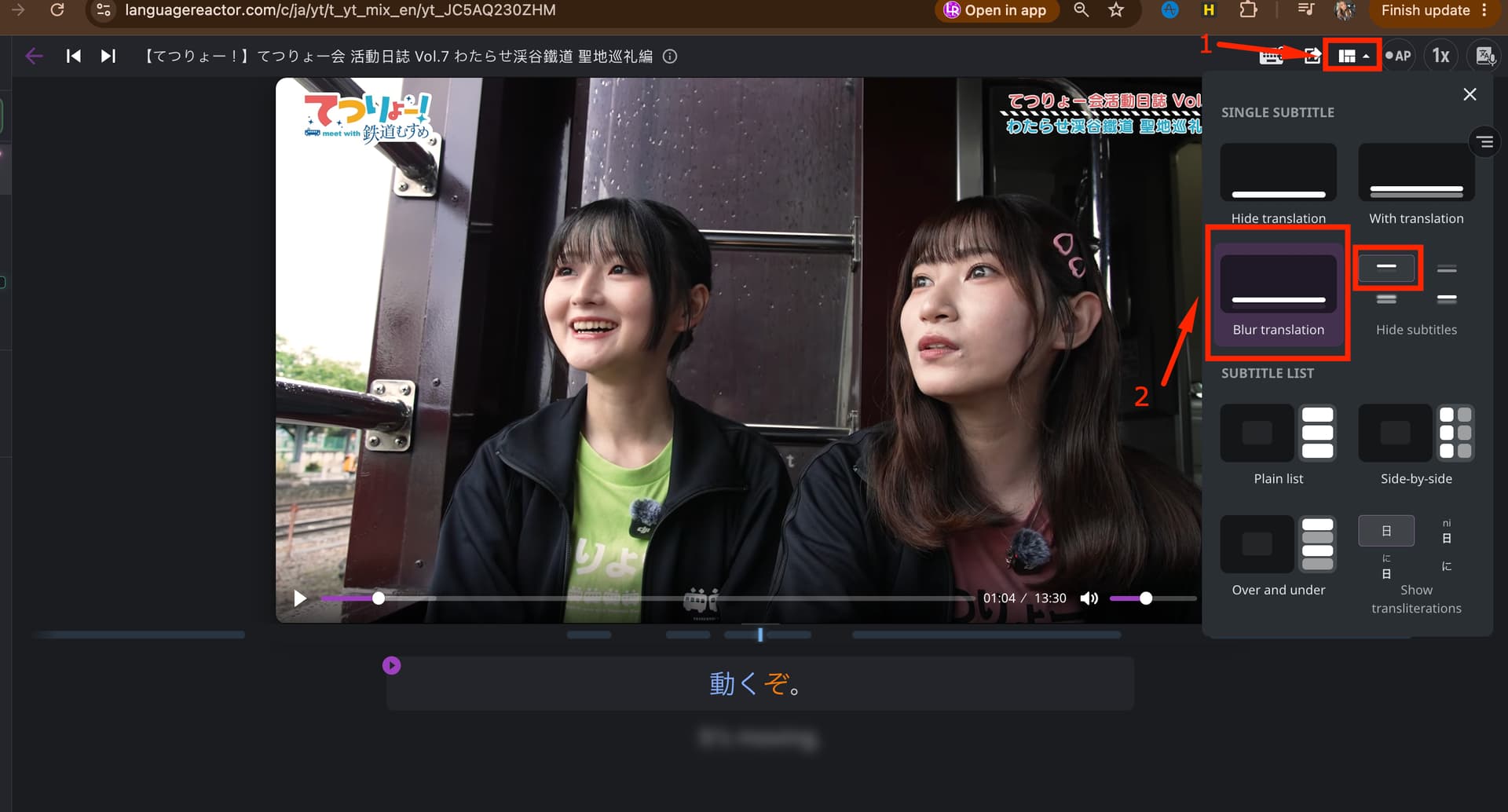
I remember that when watching Japanese media, the translation used to have a setting where the translated text would be blurred until you hovered on it with your cursor, this does not seem to be available anymore. Is this feature going to return?
Hi @looca, this feature should still be working. It may have been disabled for some reason. To re-enable it: go to the practice section (for example, the YouTube videos section), click the Layout icon in the upper-right corner (step 1 in the screenshot), and select “Blur translation.” In the “Hide subtitles” section, select the top-left layout (“Hide translation”).