Basically, add the option to hide the second subtitle, the one with the user’s mother language, so that the user can test himself to see if he can understand the second language without sneaking a peek at the second subtitle. It can be shown after the user clicks unpause once and again so that the video continues, or it can be assigned its own letter; for example, the W button.
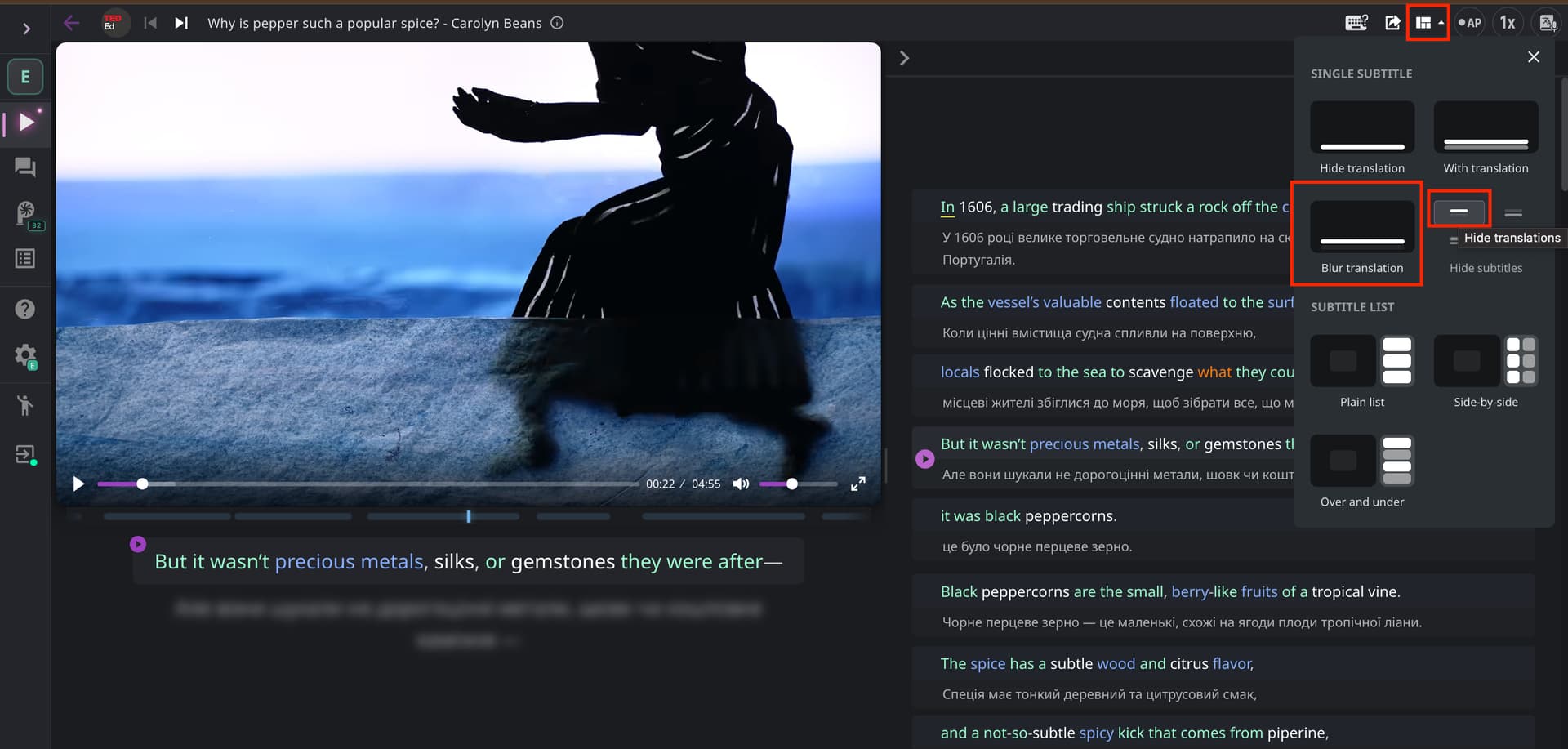
Hi @Mahmoud_gaber, this feature already exists, both on the website and in the extension. You can blur the subtitles, the translation, or both.
On the website:
- Open any practice mode (Media → YouTube).
- Click the layout icon in the top right corner.
- Choose either “Blur translation” or “Hide translation”.
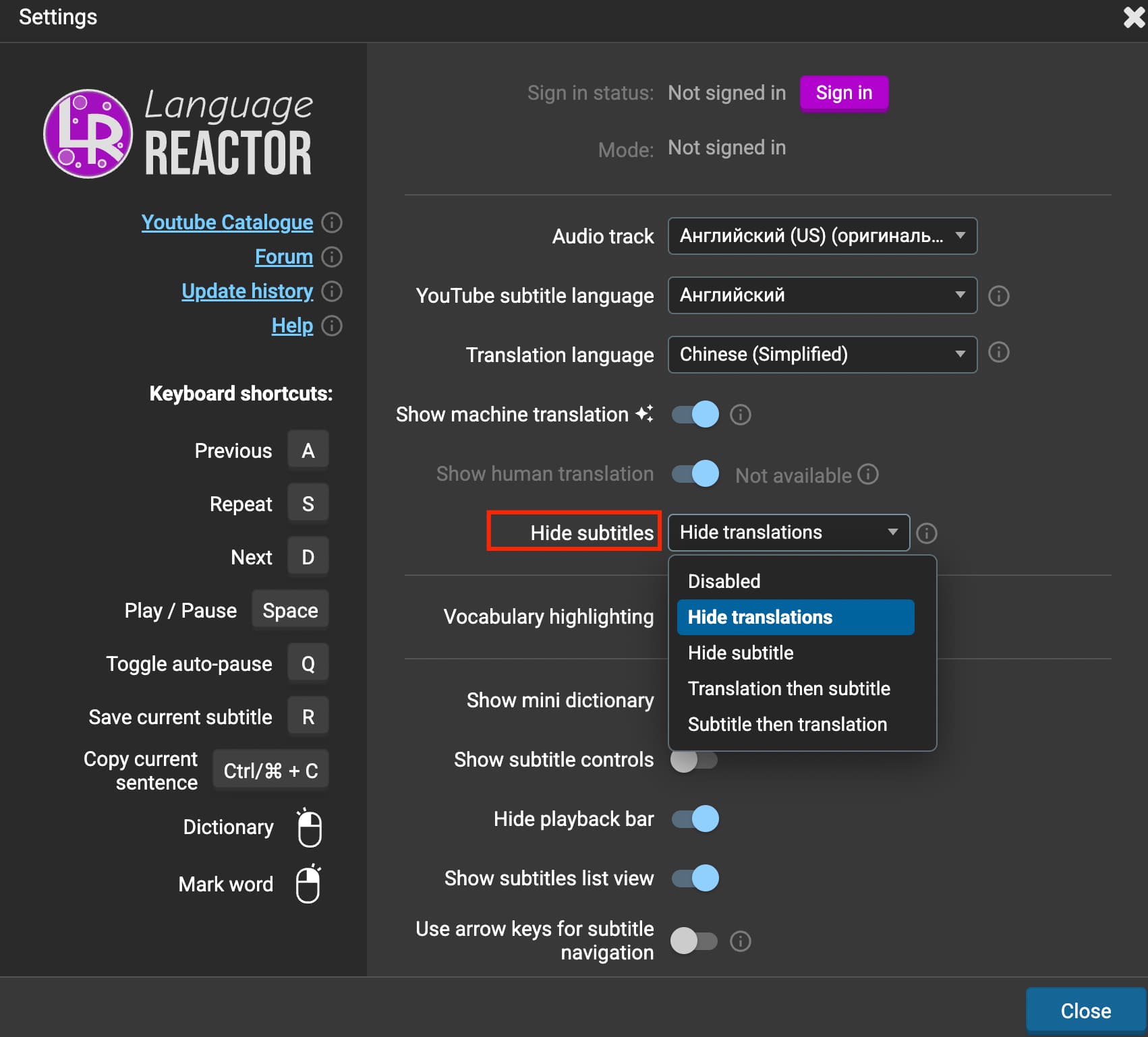
In the extension:
- Open the extension settings.
- In the “Hide subtitles” dropdown, choose “Hide subtitles”
To reveal blurred subtitles or translation, press the E key on your keyboard.
If you have any other questions, feel free to ask!