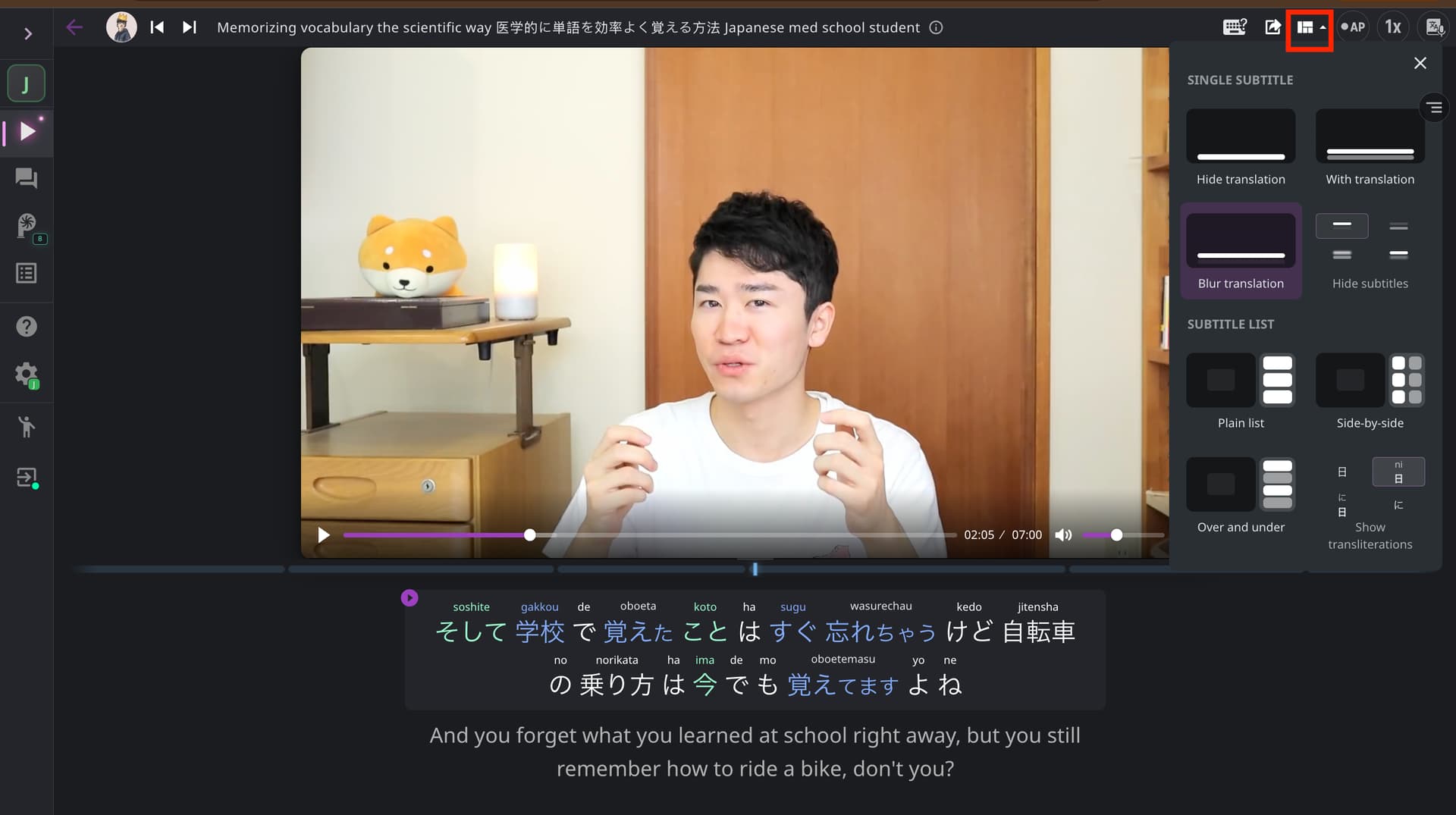
I don’t know how to reduce or change the amount of information displayed in the subtitles (hiding translations, transliterations, or extra definitions). Changing the font size doesn’t help with this.
I am sure I checked on all the tabs of the documentation that can be found here : languagereactor.com.
Hi @Pedro_Fialho, thanks for your question!
You can find the settings you need (transliteration, showing/hiding subtitles or translations) in the Layout menu. Click the Layout icon in the upper-right corner and select the settings you want.
If you have any questions, please feel free to ask.