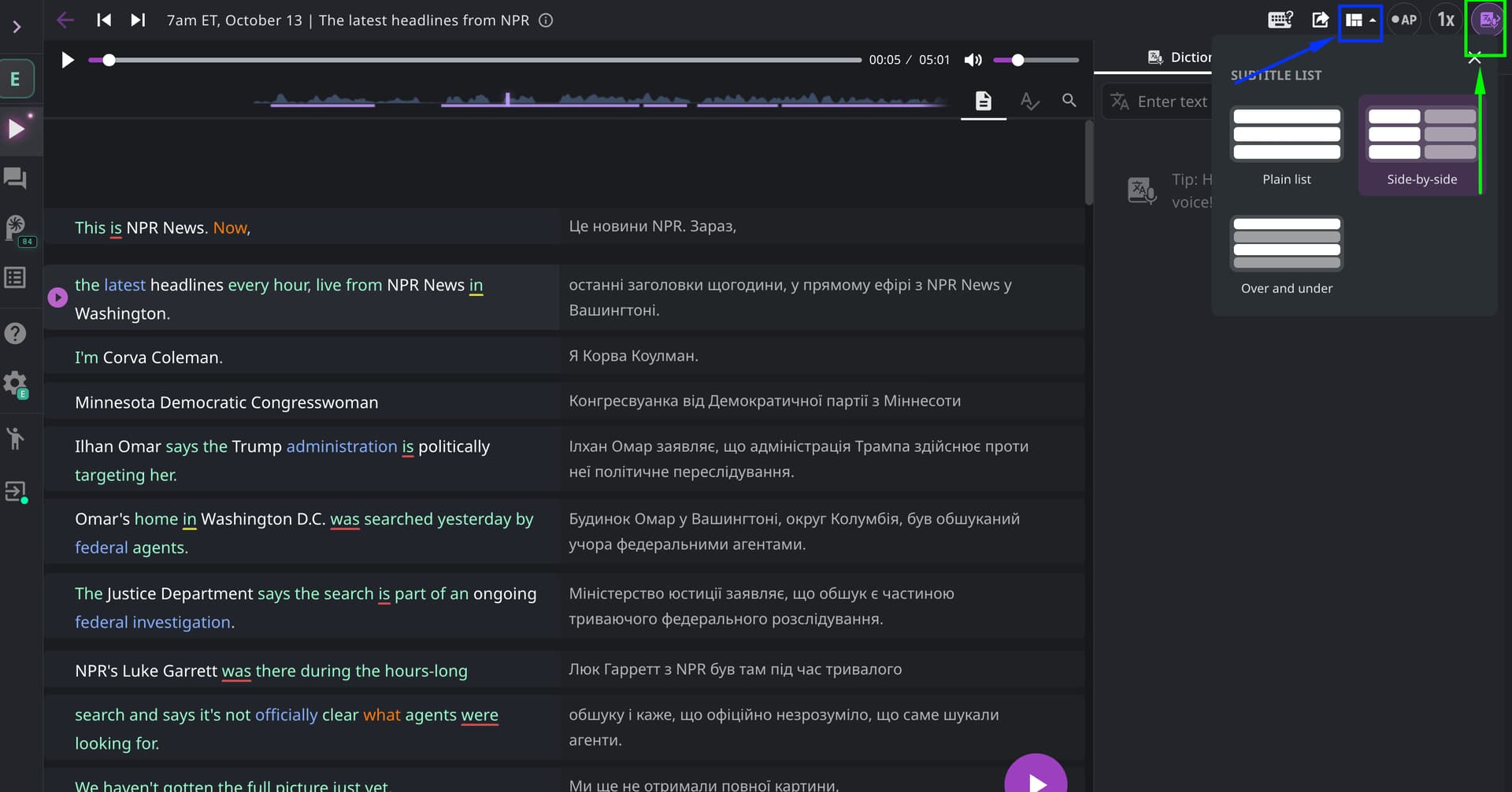
Hello @JL1, thank you for your question! To display podcast subtitles in two columns - the original on the left and the translation on the right - you should change the subtitle layout. To do this, click the Layout icon in the upper-right corner between the export icon and the AP icon, and select “Side-by-side.” See the screenshot below (highlighted in blue).
And to close the right panel (I suspect it’s the dictionary), click on the far-right icon in the upper-right corner (the dictionary icon) - I’ve highlighted it in green in the screenshot