Bug report: Translation language changes unexpectedly and phrase audio does not work
Hello,
I’m experiencing two different issues with Language Reactor Pro. I have attached screenshots showing the problems.
- Translation language changes unexpectedly.
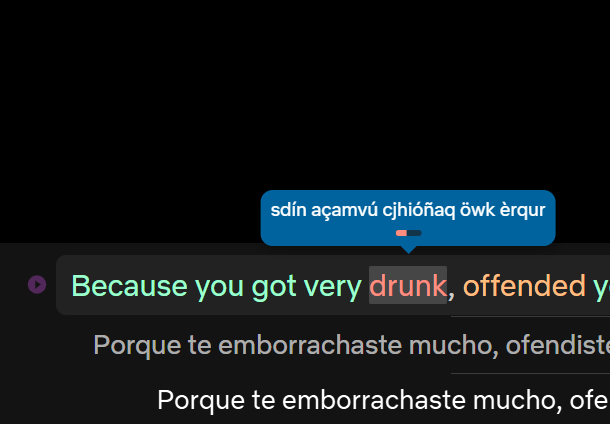
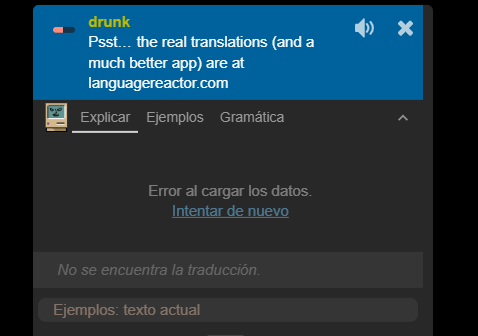
I normally use English as the original language and Spanish as the translation language. However, the translation language sometimes changes unexpectedly, and translations appear in other languages.
For example, in one of the screenshots, the translation is displayed in Spanish, but the language shown in the translation interface appears to change unexpectedly. This does not seem to be related to a specific video, as I have experienced the issue with different content.
I have checked my language settings, but the problem still occurs.
- I cannot play the audio of saved phrases.
I am also having problems with the audio playback of phrases.
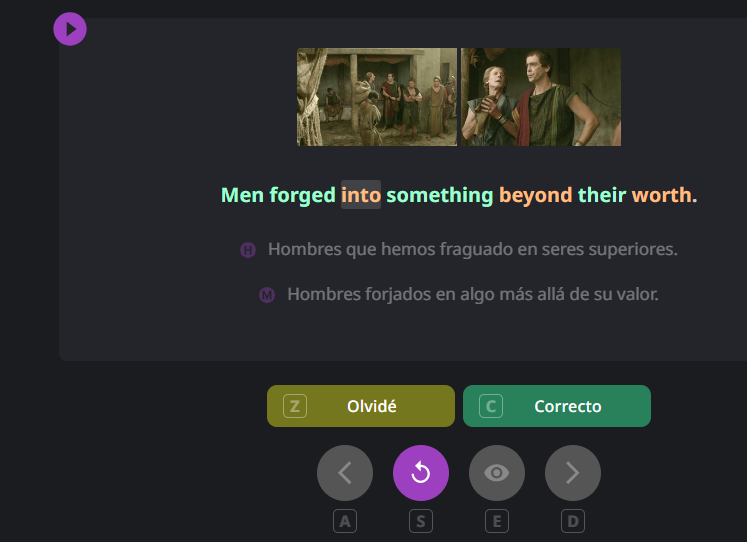
- In my Library, I have saved several phrases, but I cannot play or listen to the audio of the saved phrases.
- The same problem occurs with the phrases displayed in PhrasePump. The phrases appear correctly, but I cannot listen to them using the playback function.
This is particularly inconvenient because I use Language Reactor to practise listening, pronunciation and vocabulary, and being able to listen to the saved phrases is an important part of my study routine.
Technical information.

- Country: United Kingdom
- Original language: English
- Translation language: Spanish
- Browser: Google Chrome
- Chrome version: 154.0.8037.98 (64-bit)
- Operating system: Windows
- Language Reactor version: 5.1.8
- Content: The problems occur across different videos/pages rather than being limited to a specific one.
Video/page where the bug occurs: The issues occur across different videos/pages rather than being limited to a specific one.
I have attached screenshots showing examples of both problems.
Could you please let me know whether these are known issues or whether there is a setting I should check or change?
Thank you very much for your help.