There’s a bug in the audio capture during the chat with Aria, and also in the dictionary when you click and hold to speak… I’ve already tested it on my computer and phone in other languages and the error persists.
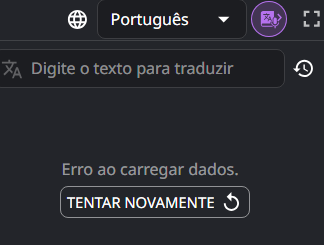
When saving to the dictionary, it gives this error: “Error loading data. Try again” and it doesn’t load what I said or the data; it doesn’t process it (it used to work perfectly, I hope you can fix it).
@Music_Studio thank you for your message!
So we can figure out what the problem is, please let us know which browser you’re using and which language you’re learning. Thank you!
I’m learning Mandarin, but I tried it with English and it didn’t work either, and I use Google Chrome and the audio capture doesn’t work on either my phone or computer.
@Music_Studio, thank you for your reply!
Could you please let me know: when you click on a word to open the dictionary window, do you also see an error? Or does the dictionary display the correct information for the selected word?
I see that I have the same issue if I hold the dictionary icon without opening it to record audio.
Try refreshing the page using Ctrl + Shift + R (for Windows) or Cmd + Shift + R (for macOS). Then open the dictionary window, and only then hold the dictionary icon for audio.
This error may also occur if the system is unable to recognize your speech. Please make sure the microphone is working properly.
In any case, this should be fixed, so I’ve passed it on to the team. Thank you for letting us know. If you have any other questions, let me know!
Hi, Unfortunately, I’m having the same error again with audio capture, and nothing I do makes it work again
It says it couldn’t process the message and to try again.


 … Everything else is working perfectly too. Thank you so much!


