clearing saved words file

I don’t know how to do clear all my saved words. After I watch something I save all my "saved words’ (with context) to a pdf. I then want to clear my saved words so I have a new set with the next movie. I’ve fiddled around but can’t find a way to do it.

I am sure I checked on all the tabs of the documentation that can be found here : Language Reactor.

Thanks for your help :slight_smile:

@Chris_Crawford
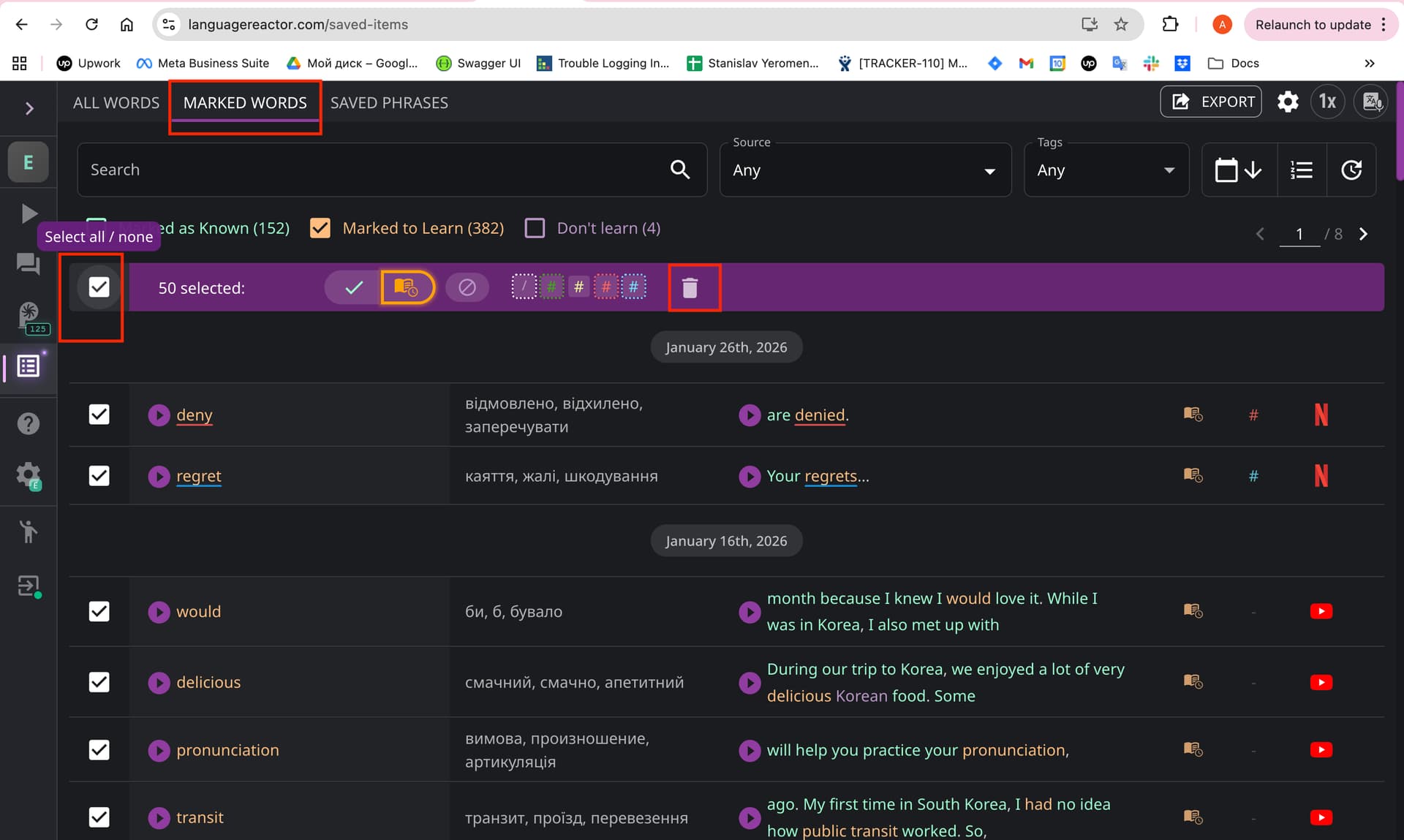
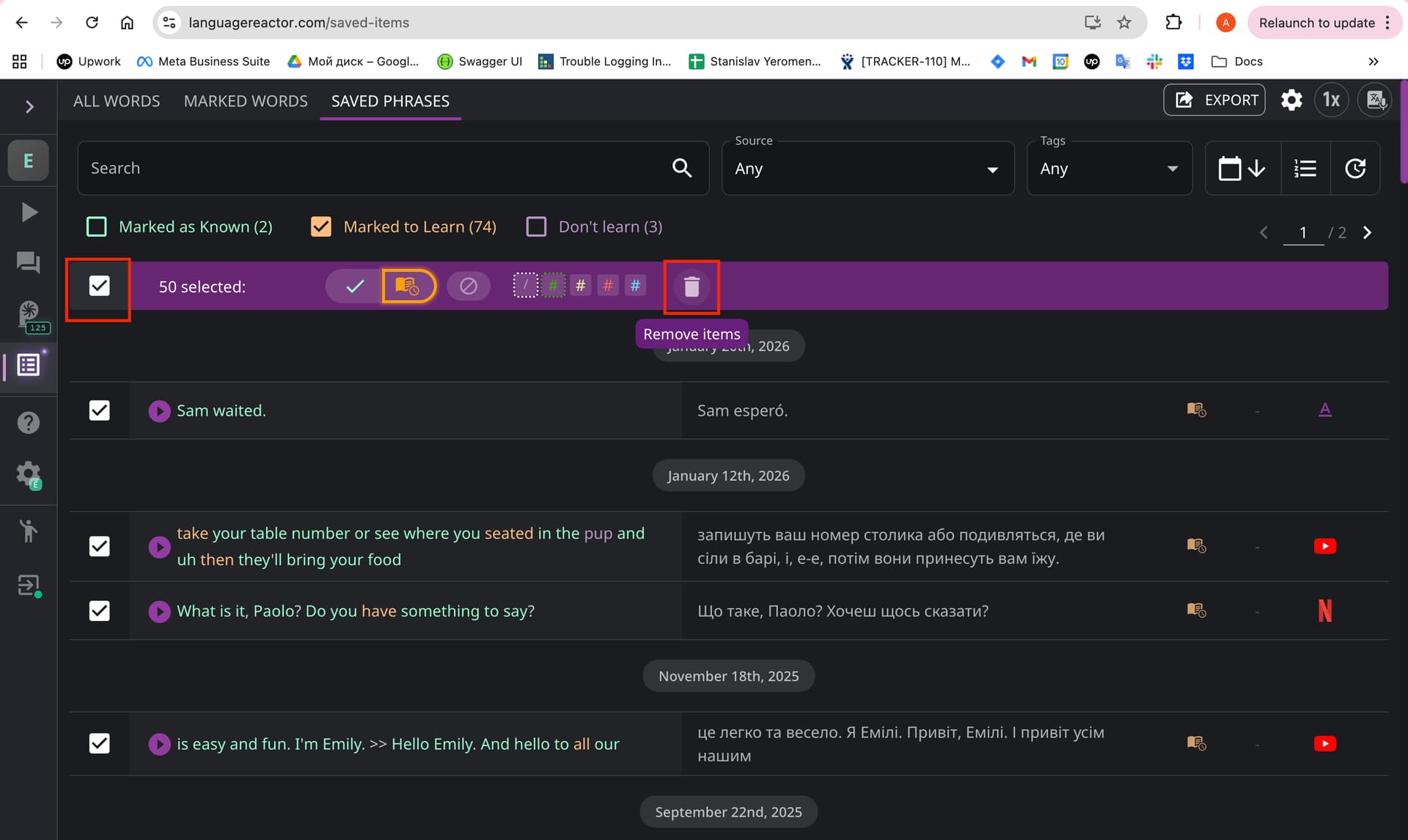
We have a feature that allows deleting words on each page with a list of saved phrases/words.
To delete words/phrases from one of the saved items:

  1. Go to the Marked words/Saved phrases section.
  2. Select the “Select all” checkbox.
  3. Click on the trash can icon.
  4. Confirm the deletion.

Then repeat these steps for all pages with saved words/phrases.