Hi everyone,
I’m seeing different behavior with Language Reactor on two Android phones.
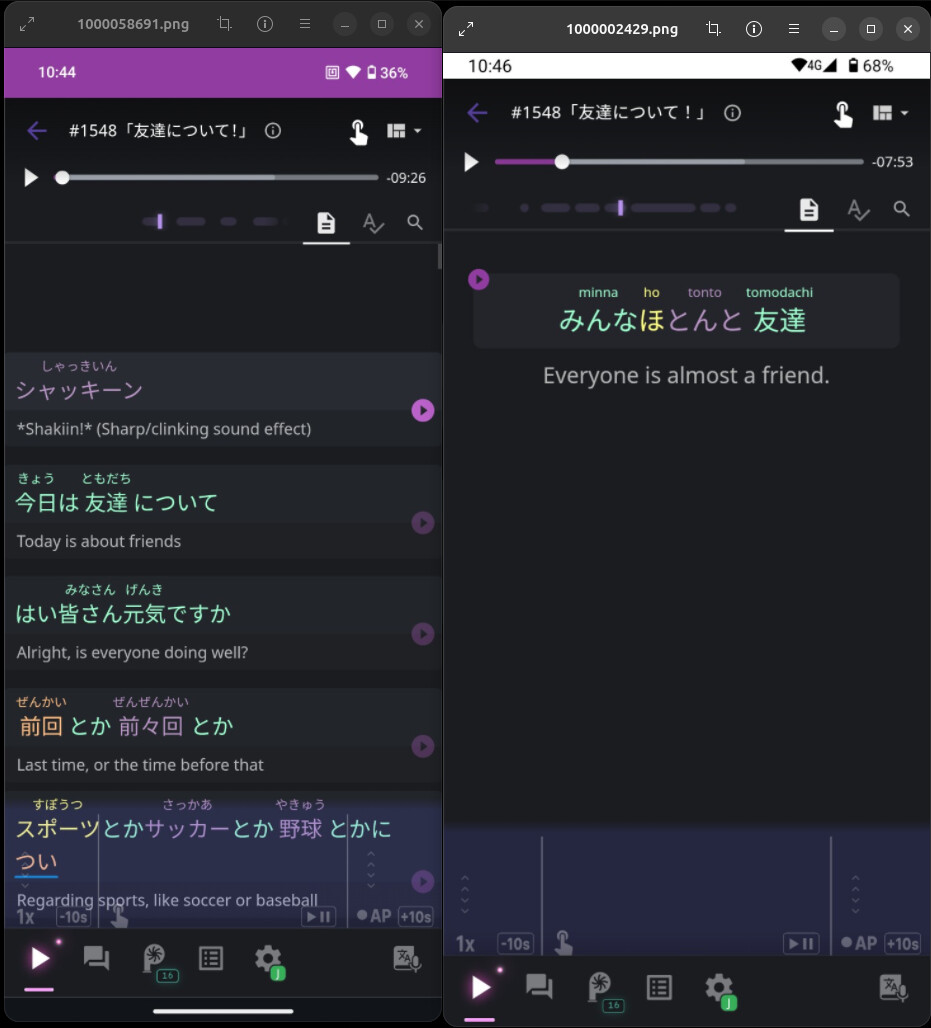
On my older phone, I can see the full transcript (target sentence + translation list) and scroll through the entire lesson.
On my new phone, I only see the currently playing sentence and its translation. The full transcript/list is not displayed.
After some troubleshooting, I discovered that the older phone is running an older version of Chrome, while the new phone has a newer Chrome version. Unfortunately, I can’t install the exact older Chrome version on the new phone to test whether that’s the cause.
Both devices are otherwise using the same setup (same lesson, same Language Reactor interface).
Has anyone else noticed this behavior? Is the full transcript view dependent on a specific Chrome version, or is there a setting that enables it on newer versions?
I’ve attached screenshots showing the difference.
Thanks!