I am adding words but when I am practicing it doesn’t offer me the words that I saved. Can you help me
I have same situation as you
@viacello You can disable the recommended sentences in the PhrasePump settings, you should do the following:
- Go to the PhrasePump section
- Click on the Settings drop down list
- Set the Suggestions switch to off
In this way you will only get the phrases/words that you have in the Saved section
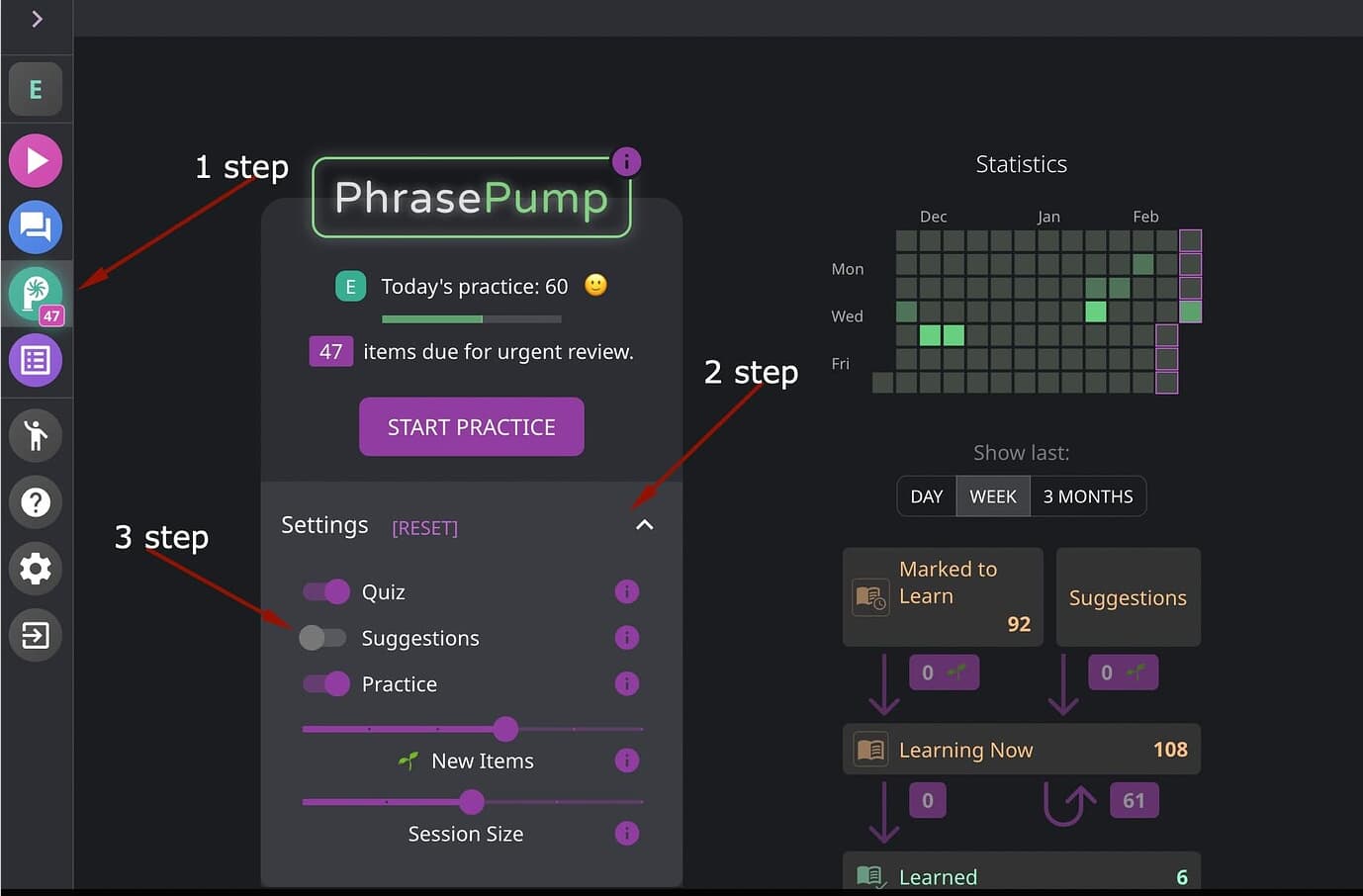
Hi Angelina, regardless of whether the “Suggestions” switch is toggled on or off, I get the same number of “extra practice” words. Is it possible that the feature isn’t working for me/other users? I’d be happy to connect to help with the troubleshooting. Thank you!
Hello @Galho_96, thank you for your message!
I see the issue you described: words that aren’t in the saved list do indeed appear in the suggestions when the ‘Suggestion’ feature is turned off. I don’t think it’s supposed to work that way. This has already been reported to the team.
Thanks! 