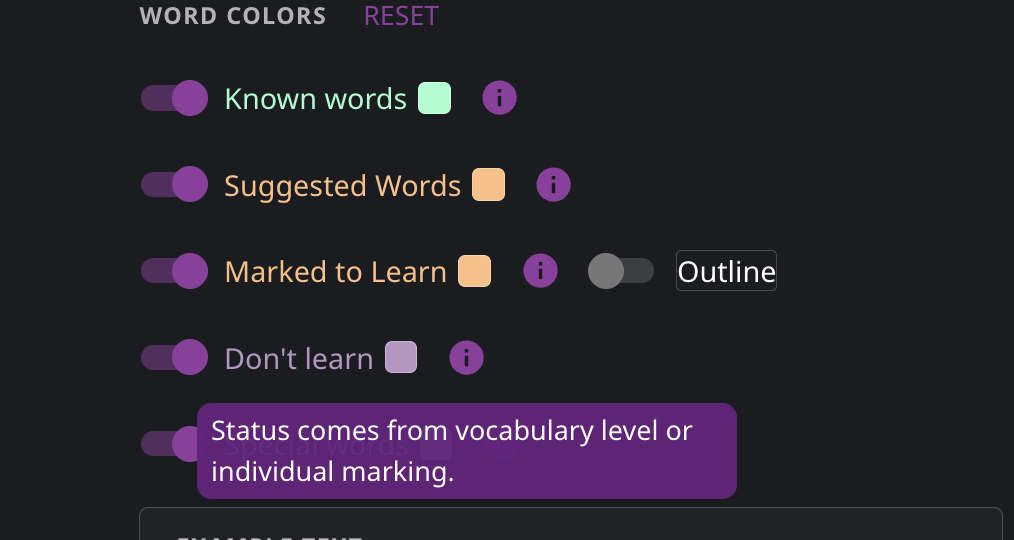
I really like the idea of adding specific words to the “Don’t learn” category. However, if I want to have their colour displayed in Netflix subtitles or other content, there is no option to limit them to the user-defined “Don’t learn” words only. The system automatically adds all the words it “believes” to not be needed for learning after defining a certain threshold in the vocabulary level settings.
It would be great to be able to limit this colour-coding only to the words a user personally added to the “Don’t learn” category.
Hello @mvmalyi, thank you for your message!
The “Don’t learn” status depends on your vocabulary level and individual scores. This means that the “Don’t learn” list may include words that are “far above” your current vocabulary level. If you go to All Words and scroll well below your current vocabulary level, you’ll see words highlighted in purple.
We’ll consider separating these two markings in the future for greater convenience. Thank you for sharing your ideas with us!
Thanks for the quick response! I thought about the same solution (setting my level to much higher than is), but doing this will also highlight many words I don’t know in Green, whereas I want to keep the “Known words” category also used as intended. I hope there will be a way to separate the two use cases in the future, so that the “Don’t learn” category can remain as manually added only.