I don’t know how to do to fix the “prompt unavailable issue”
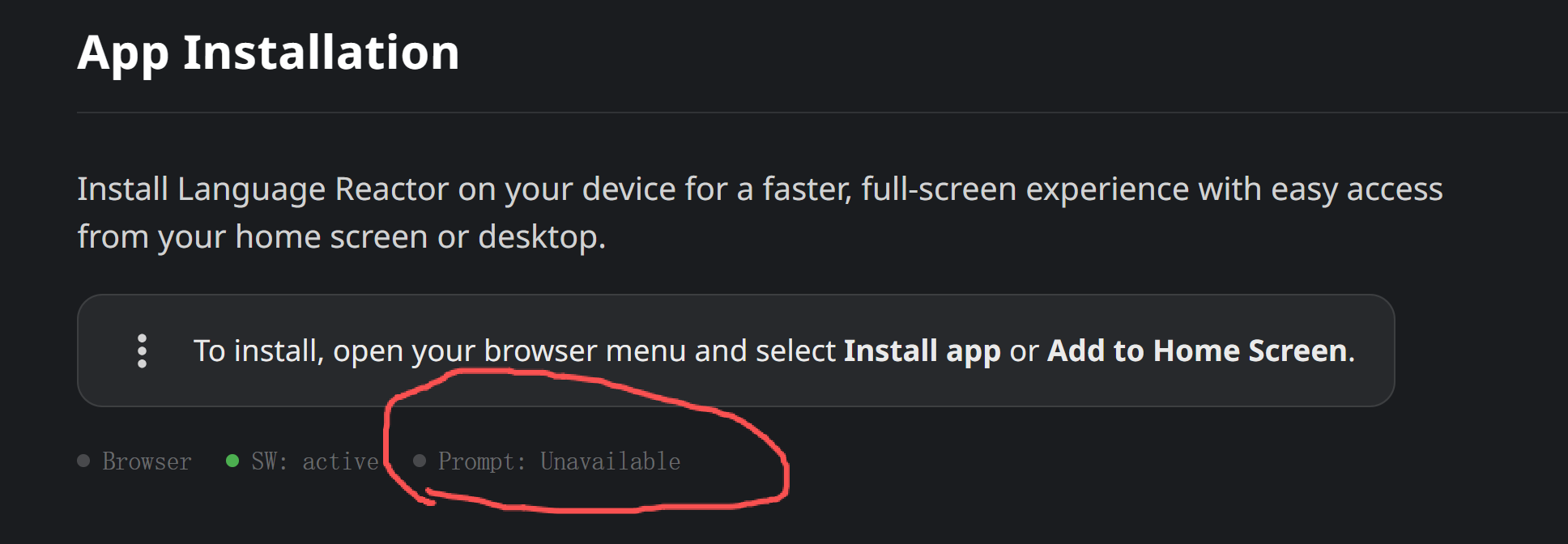
I am sure I checked on all the tabs of the documentation that can be found here : Language Reactor.
Thanks for your help 
I don’t know how to do to fix the “prompt unavailable issue”
I am sure I checked on all the tabs of the documentation that can be found here : Language Reactor.
Thanks for your help
Hello @er_qw,
Please don’t worry, this isn’t an error, and it doesn’t affect Language Reactor’s performance on YouTube or Netflix.
This section is solely about installing the Language Reactor website on your computer as a desktop app. The message “Prompt: Unavailable” simply means that your browser is not currently displaying the automatic pop-up window with the “Install” prompt.
If everything works fine when watching videos or practicing, just ignore it. No need to fix anything.
If you want to install the site as an app, you can do it manually: click the three dots in Chrome → Cast, Save, and Share → Install page as an app…
If you still have any questions, please don’t be shy to ask! Thank you! 
