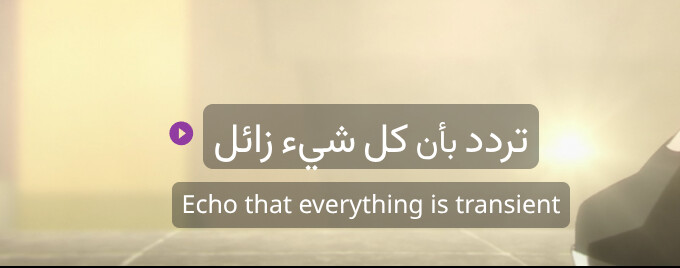
Hi. As you can (or cannot) see from the screenshot, the start and 3 dotted buttons on the right of the foreign language subtitle are not visible when there’s a bright background in the video scene.
Having a container with the same properties as the subtitles as the subtitles for the buttons would make them more visible in such situations. Thanks
Hello @Kronks. Thank you for your message!
This is actually done on purpose, as some users have complained that these elements distract them from their practice.
However, for greater convenience, you can use keyboard shortcuts; for example, to save subtitles, use the R key (It’s the same as clicking the Star button), and to copy (three dots), use Command+C (macOS) or Ctrl+C (Windows).
1 Like