Currently, LR treats “Phrases” and “Sentences” as the same thing. However, for language learners, learning specific phrasal verbs and collocations (e.g., “heading to,” “take off,” “set up”) is more important than saving an entire long sentence.
The Issue: I cannot manually highlight and save a 2 or 3-word phrase.
If I save a word, I lose the collocation.
If I save the phrase (by clicking the star), it saves the entire sentence, which makes my “Saved” list very cluttered and hard to review.
My Suggestion: Please enable a feature that allows us to manually highlight a specific group of words in the sidebar and save it as a “Phrase” entry, independent of the full sentence.
This would be a huge improvement for serious learners. Thank you!
Hello @Alfred_Song,
Thank you for your suggestion!
We have a plan to discuss this feature. We may add it in the future.
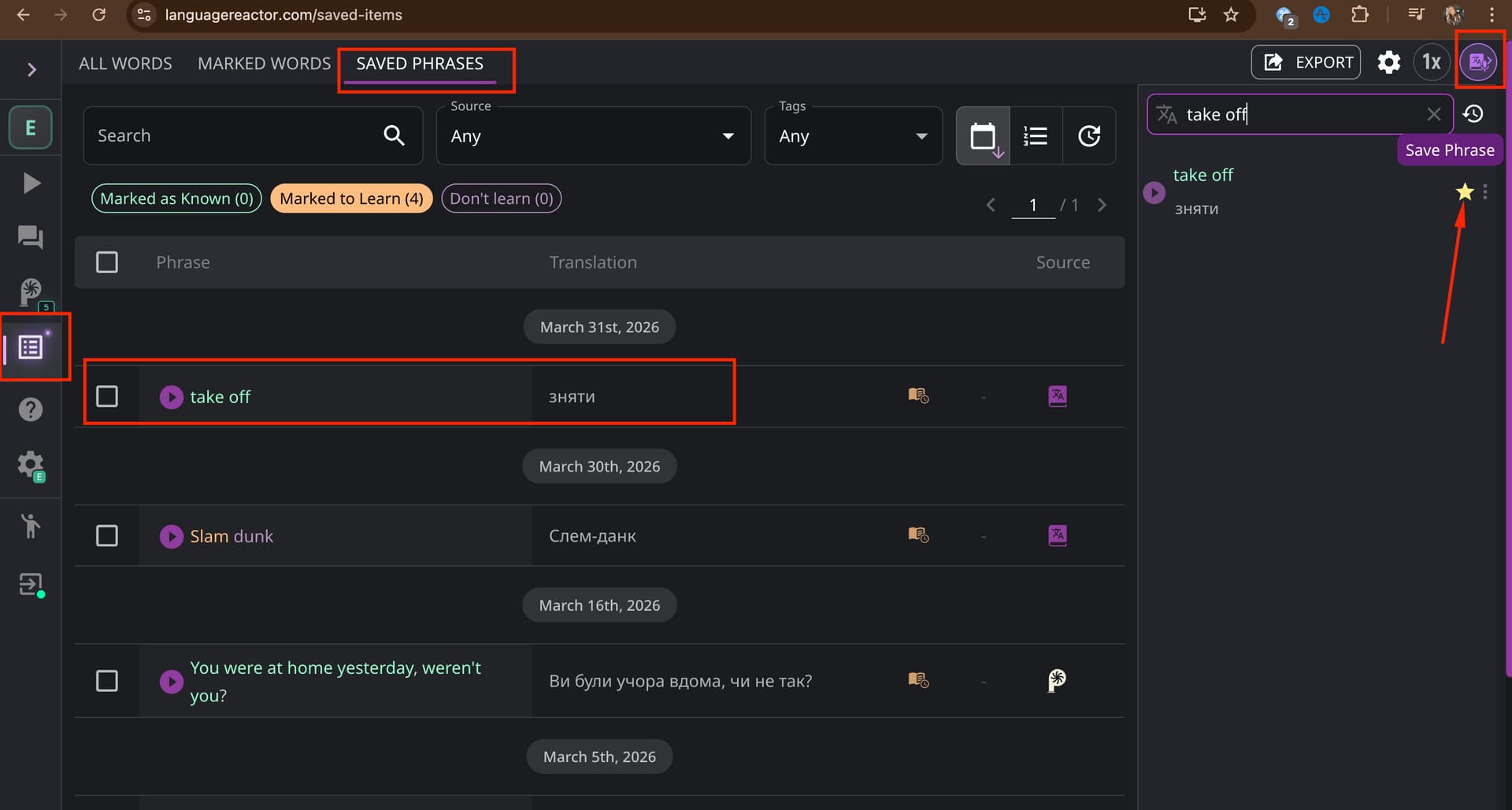
For now, you can save expressions manually. Enter the expression in the Search field in the Dictionary, then save the phrase (click the star icon) from the search results, and it will appear in your Saved Phrases (see screenshot).
While searching and saving manually is a temporary solution, I really hope to see the manual highlight feature implemented as soon as possible.
For language learners, mastering phrasal verbs and collocations in their original context (directly within the video) is crucial. Having to manually type them into the search field adds extra steps and breaks the learning flow. I believe this is a fundamental feature for any “serious learner” tool, as it allows us to capture the essence of the language without the clutter of a full sentence.
Looking forward to seeing this update soon. Thanks again for your support!