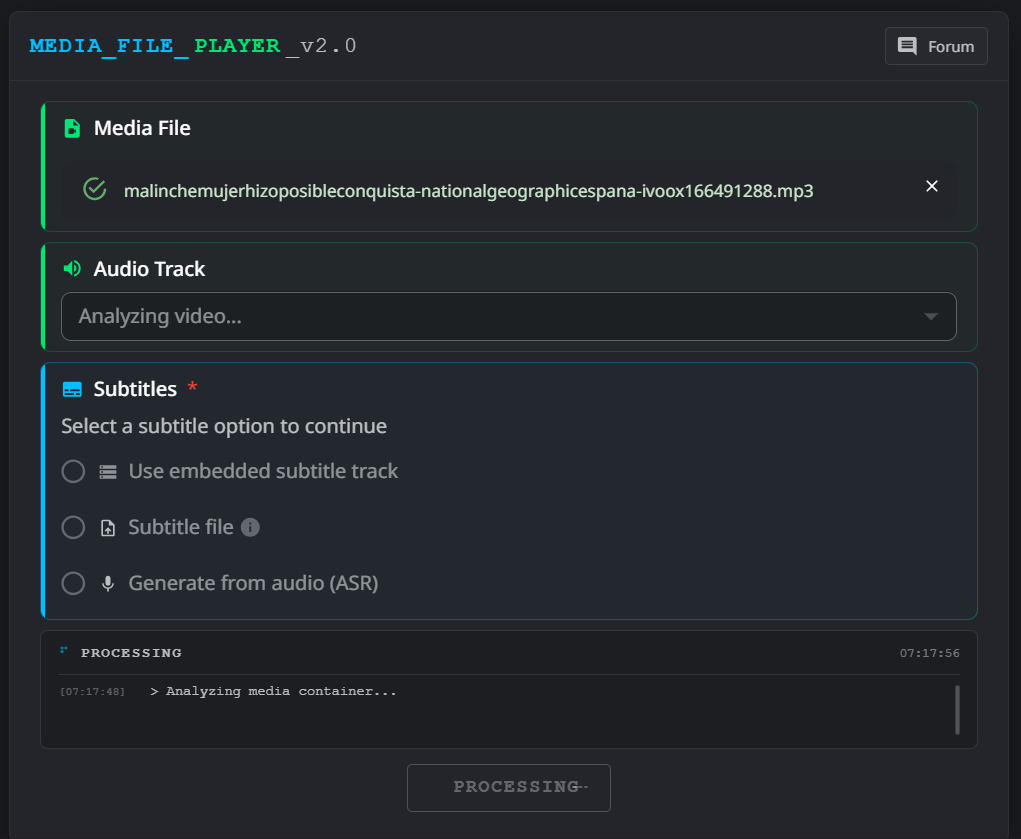
I have been using LR to transcribe podcasts from mp3 files. Since the last upgrade this function is no longer working. Whenever I load an mp3 file now it only shows this screen for some minutes.
I have been having the same issue as well. A bit of a shame that none of the devs have replied despite this post being up for 11 days.
I posted yesterday, reporting the same thing and i’ve tried everything, from changing file type to audio length, can’t get it to work.
Hopefully the devs do something about this.
Thank you for your message! We’re already working on this. For now, the only workaround is to reduce the video size, since analyzing larger files takes more time.
THE SAME ISSUE. THE MP3 FILES CANNOT BE PLAYED. AND IN MY CASE THE MKV FILES CANNOT BE USED FOR AUDIO PLAYING. IF I USE THE VLC PLAYER THEN EVERYING IS OK. BUT HERE IT IS PROBLEMATIC.
Yeah, I’ve seen something similar happen after updates
Not sure what changed in LR, but if you still need a workaround, I’ve personally been using FluentAI for MP3s and podcasts.
From my experience, it handles audio transcription pretty smoothly, and the feature is built into the tool itself — so it doesn’t really depend on the media player or those kinds of issues.
Might be worth trying it out until LR fixes things