Hi everyone,
I’ve been getting the “Failed to fetch translations” error on Language Reactor for hours now. It shows up every time I try to use the extension, regardless of the video or page.
Things I’ve tried:
· Refreshing with Ctrl+Shift+R
· Disabling other extensions (adblock, etc.)
· Reinstalling Language Reactor
· Making sure study language and translation language are different
Nothing works so far. Is this a server-side issue? Anyone else experiencing this today?
Same here, the same problems happen to me in youtube too T^T it can only show the korean language (the language i want to learn) but not the Traditional chinese (the language i know)
could you help? @Yana thanks in advance!
@YahoodieXx Have you tried disabling all extensions except Language Reactor?
This error often occurs because of extensions that block ads (such as Ad-Block)
If you see this error but the subtitles are working correctly, just close the error message. It usually appears at the beginning of the video when there are ads, and the extension can’t get the subtitles because they aren’t included in the ads.
@CANDY_Poon
thanks for your message!
Does this happen with all videos? Or just with certain ones?
Do you see “loading subtitles” instead of the translation (where the traditional Chinese subtitles should be)?
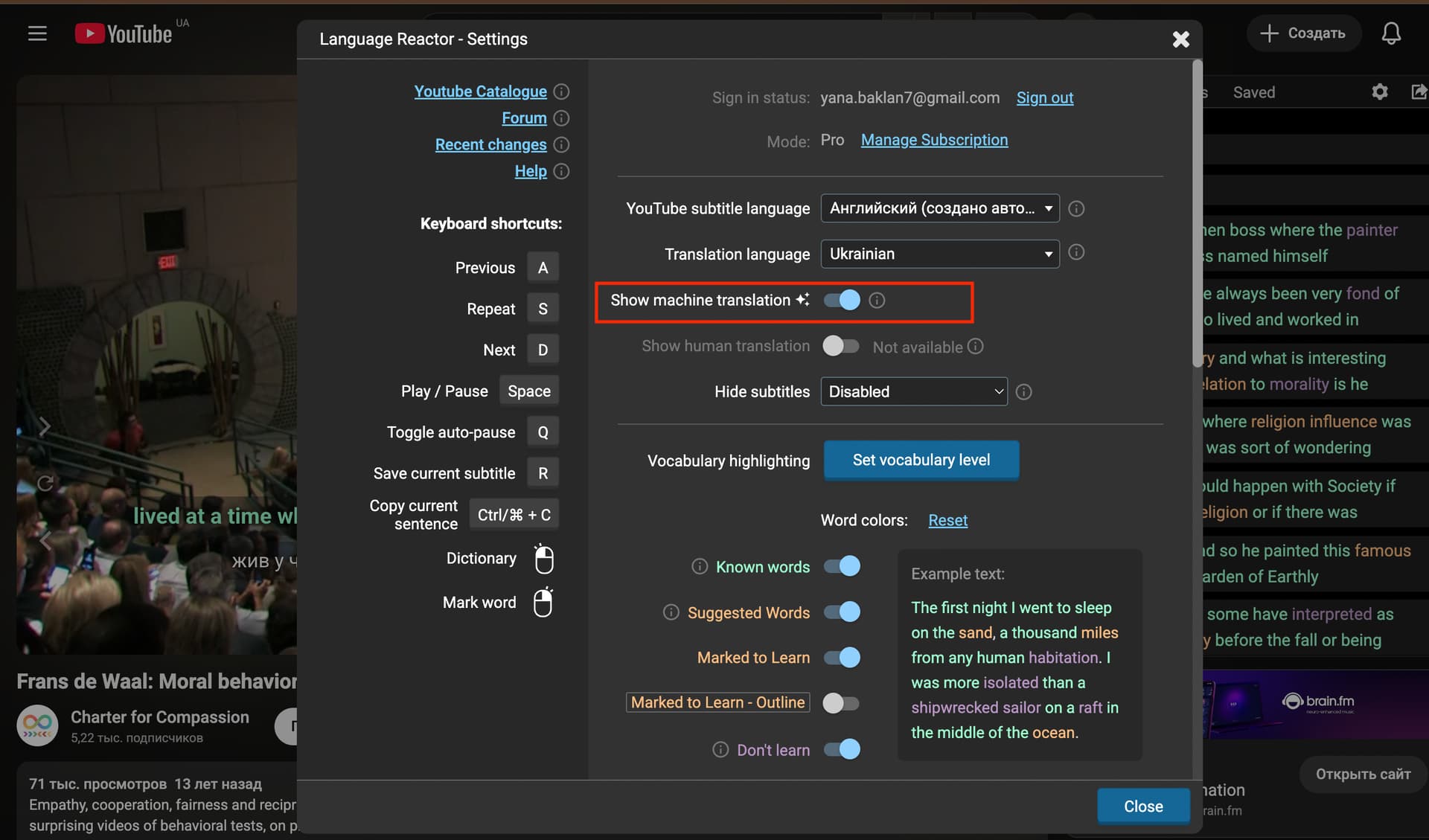
Please check to see if subtitles are turned off in your settings. (See the screenshot below.)
Hi, thanks for your reply! It’s working again now. The issue fixed itself after about two days. Maybe it was just lagging because I used it a lot that day.