Hi everyone,
is anyone else experiencing issues with Language Reactor in Chrome on macOS?
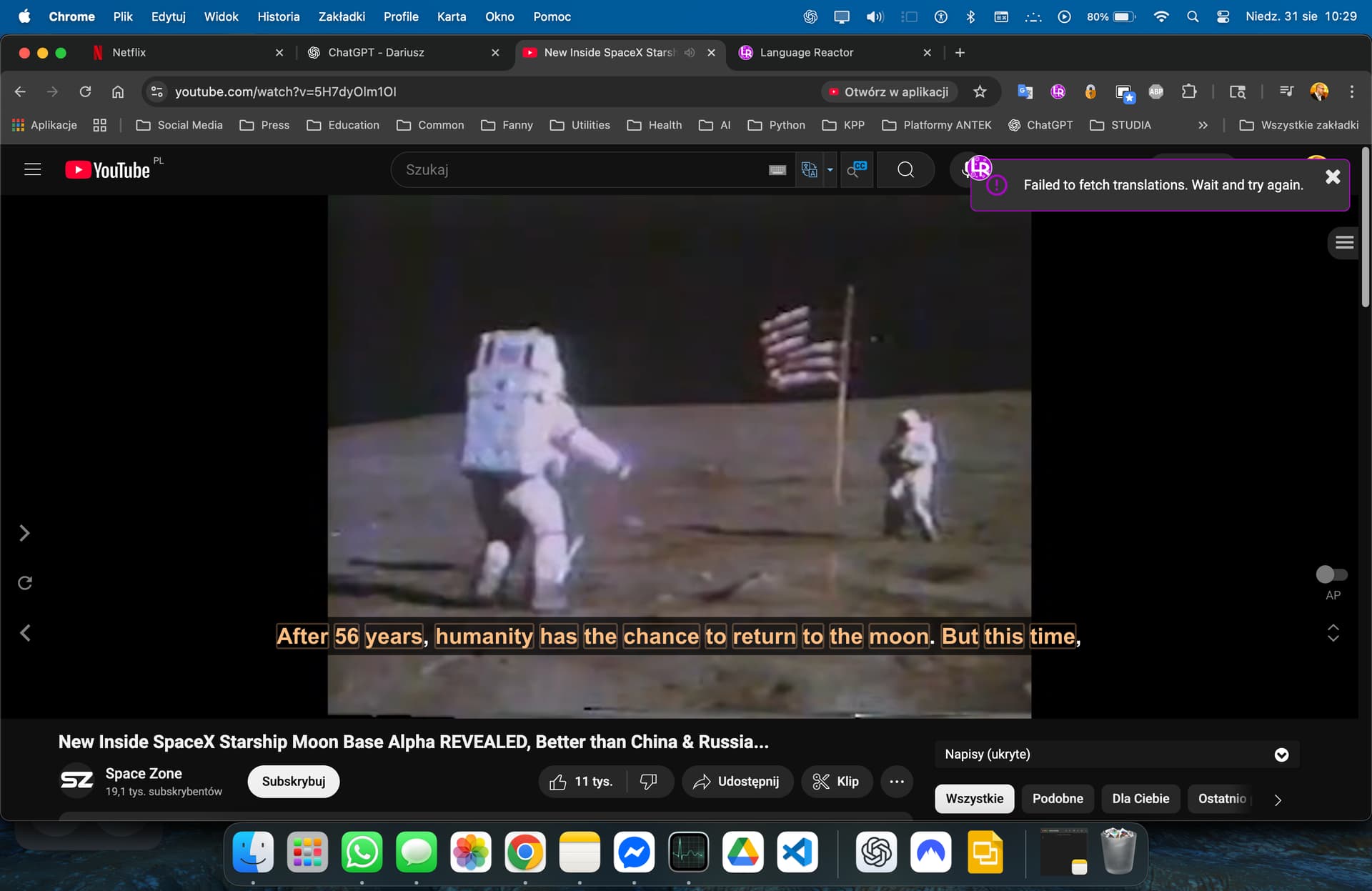
On YouTube, translations do not load and I always see this error:
Failed to fetch translations. Wait and try again.
I tried reinstalling the extension and resetting Chrome, but the problem still exists.
Any ideas?
I have had the same issue on Youtube studying simplified Chinese for some days. Perhaps even a week, but I’m not sure on that. Regardless, LR worked previously. The error is not too consistent, as it pops up with some videos, but not all. Also, now with one video [ “Copycatting in China @xiaoguachinese | Comprehensible input Chinese | Intermediate” by Lazy Chinese ], repeatedly refreshing the browser makes the translations load sometimes and fail sometimes. Additional details are that I’m on Windows 10, Chrome 139.0.7258.155, and LR 5.1.4.
Still having persistent problems with this (18 October 2025) on Win10 and Win11. I noticed that translations work fine in videos from the YouTube catalogue on the Language Reactor webpage but when you click on play in YouTube you get the same error message appearing (Failed to fetch translations. Wait and try again.) and the translation fails to appear.
Using a combination helped me - Ctrl + Shit + R (reloading the page and clearing cookies).
I’d also look at browser extensions.
Version: 142.0.7444.60 (Official build) (64-bit)
Can you create a way to disable the extension easily? Because of this problem, I sometimes don’t want to use the extension, but there is no way to disable it, unless I go to chrome://extensions and disable there, which is a lot harder, and the extension completely disappers
Hello @sahin
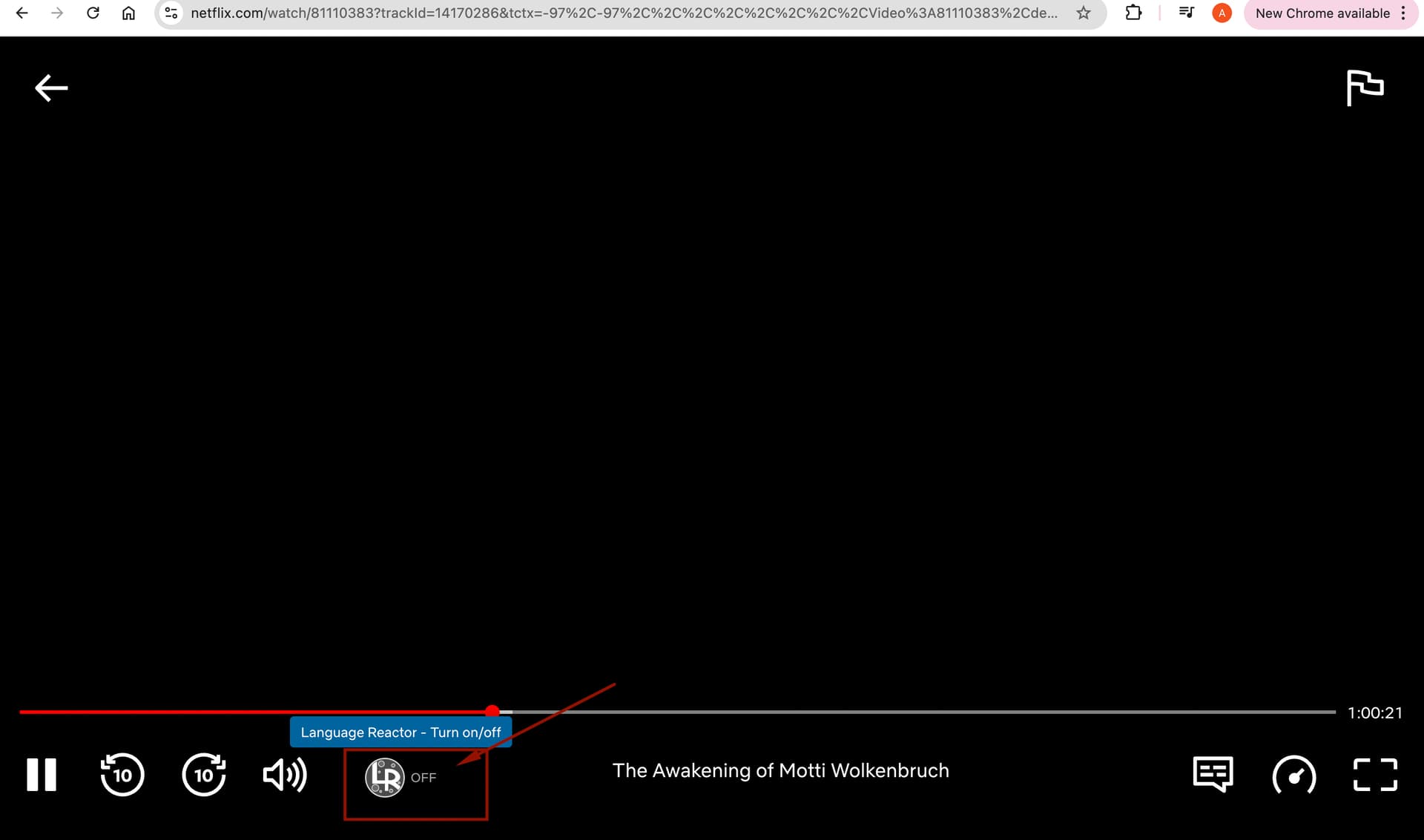
You can easily disable it on Netflix and YouTube by simply clicking on the LR icon in the player (see screenshot below).
In this case, you won’t need to disable the extension completely.
And enabling/disabling it takes just one click.