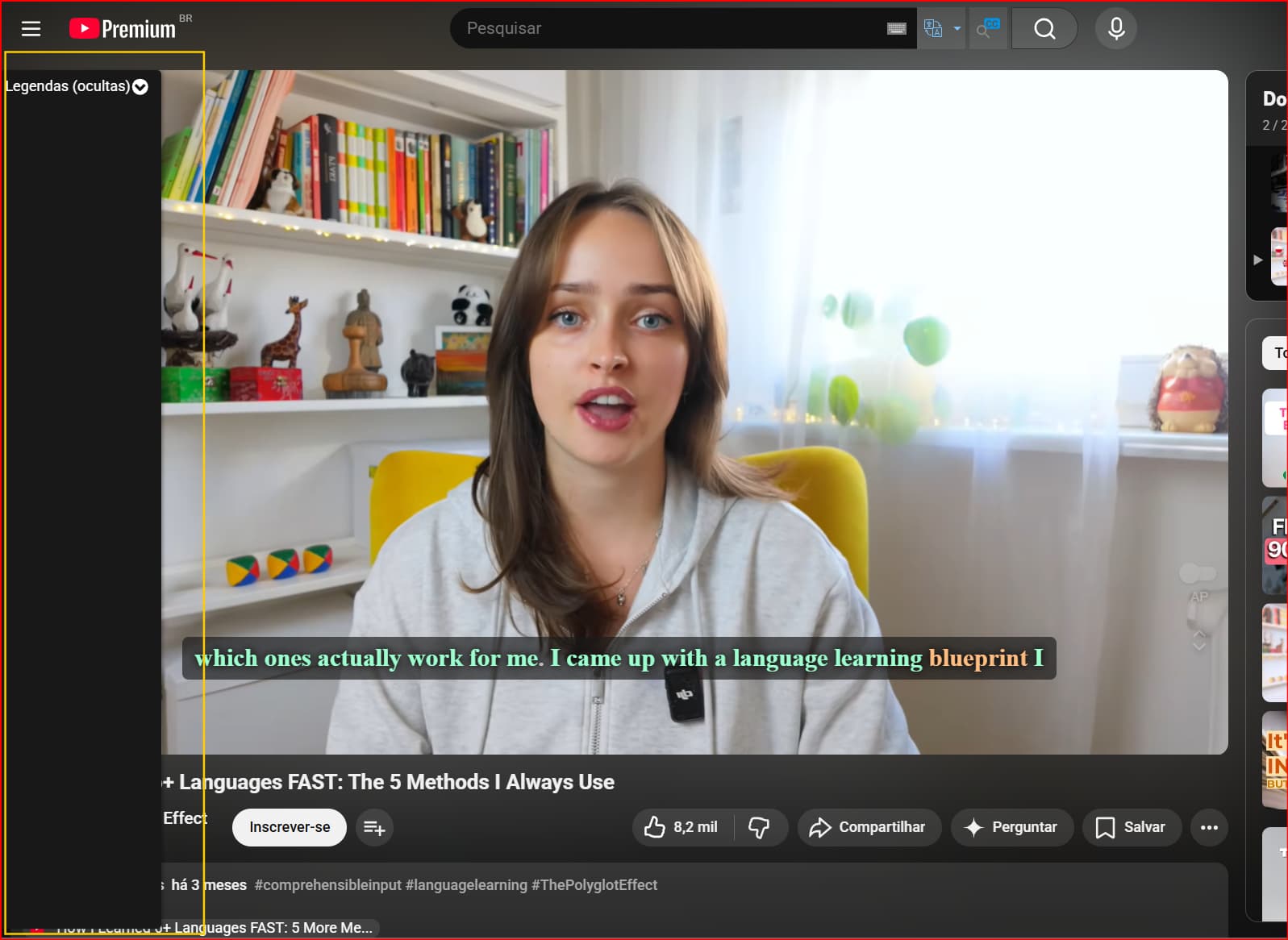
When the extension is enable, the subtitle bar ( not the one that is showing inside the video, a sidebar) is overlaping the play button of videos from youtube. Even when i select to hide the subtitles from the video it self, this sidebar of language reactor don’t disapier
Hello @Flavio_Henrique_Ferr,
I’m sorry, I don’t quite understand the issue you described. Could you please provide a screenshot showing the problem and let me know what device, browser, and screen resolution you’re using?
@Flavio_Henrique_Ferr Thanks for the screenshot - it’s really helpful
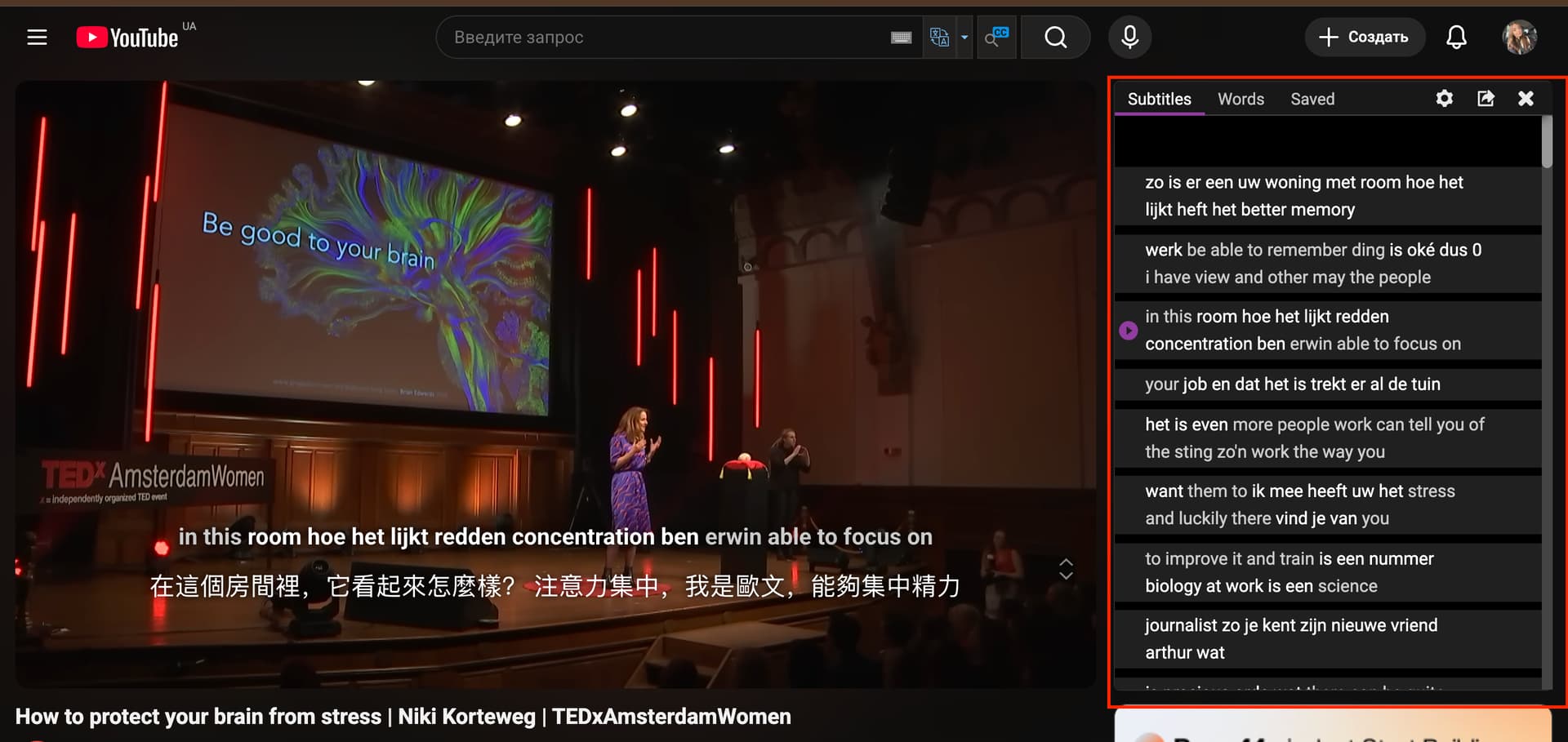
The sidebar shown on the left is not part of Language Reactor. The Language Reactor subtitle panel should appear on the right side of the video, not on the left (see screenshot). It seems it might be appearing due to another browser extension or a YouTube feature.
Could you please check if you have any other extensions enabled that are related to subtitles, accessibility, or YouTube enhancements?
We recommend temporarily disabling all other extensions and checking if the issue persists with only Language Reactor enabled.
This will help us determine if the issue is caused by a conflict between extensions. It’s possible that another extension is breaking the Language Reactor subtitle sidebar.
If you need help with this, let me know.
Please let me know what happens when you disable all browser extensions except LR
I tried disabling all extensions, but nothing changed. I’ve had these extensions installed for a couple of months, and they’re still the same, so there wasn’t any new installation causing the issue.
In the end, I uninstalled the Language Reactor extension and installed it again, and now it’s working as usual. The subtitle bar is in the right corner of the screen, as shown in your screenshot.