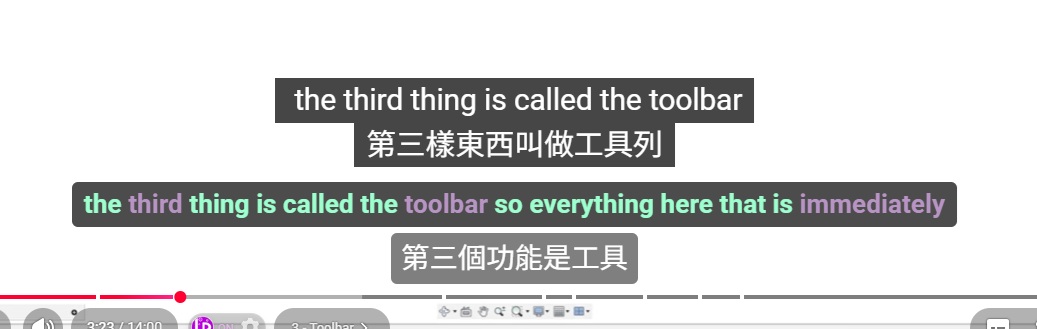
Hi everyone, I’m using the Language Reactor plugin on YouTube. Currently, the plugin’s translation seems “locked” with YouTube’s original closed captions (CC).
If I turn off the YouTube CC, the plugin stops working entirely. However, if I leave it on, I end up with 4 lines of subtitles (Original + Translation + Plugin’s double lines), which makes the screen extremely cluttered.
How can I configure the settings to hide the native YouTube CC text and ONLY display the plugin’s translation interface? Thanks for the help!
Hello @ARROW_WANG,
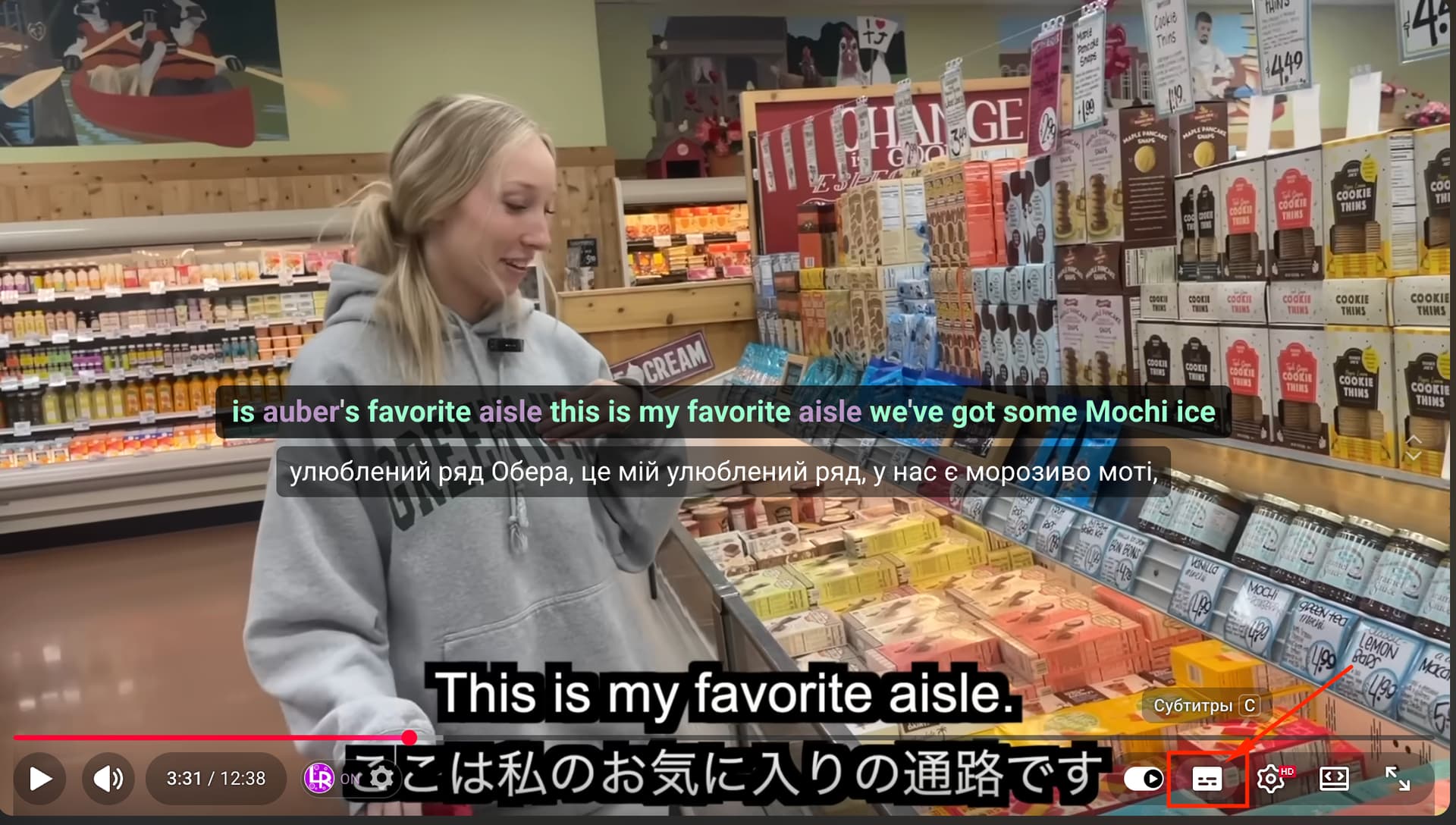
From what it looks like in the video, those are not YouTube’s native closed captions (CC), but hardcoded subtitles embedded directly into the video by the creator. Unfortunately, embedded subtitles cannot be turned off.
To check this, please try turning off subtitles in the YouTube player (click the CC button - I marked it on my screenshot). If you still see the white subtitles after disabling CC, that means they are part of the video itself and cannot be hidden.
In this case, Language Reactor is working correctly, it relies on YouTube’s subtitle track, but it cannot remove subtitles that are permanently built into the video.
Please let us know if you have any further questions!
Same here. I can’t turn off the auto-generated subtitles on YouTube videos, so now there are two sets of subtitles. I remember it wasn’t like this before.
@Yana Thank you for the reply.I have figured out what was the issue.
This is because LR conflicts with the Immersive Translation plugin; for more details, please refer to the post linked below.