Language Reactor has been great and I really love it, however there are a couple of features that would improve the QOL when using Language Reactor for YouTube.
-
Being able to completely hide subtitles/translations when subtitle list is enabled. Sometimes the subtitles become really long (usually due to having two people talking, etc.) making it unable to see the actual video when the subtitles are covering it, so it would be nice to be able to turn subtitles off in the video player and being able to use the subtitle list instead. I think it would be best if there was an option to turn off subtitles, translations, or both in the vide player and have Language Reactor still on so we can use the subtitle list.
-
This one is also kind of quality of life but more functional: when there’s a video with multiple people talking, the subtitles often disappear way too early while someone is talking. I hope this is an easy fix because that would make it a lot easier to analyse conversations, etc.
I hope these features and fixes will get pushed out eventually, but until then thank you for the extension! It makes language learning more fun and makes it much easier to immerse.
Hello @kamicaazi,
Thank you for your suggestion, we have created a task for this. But a temporary solution could be the Hide subtitles function in Settings.
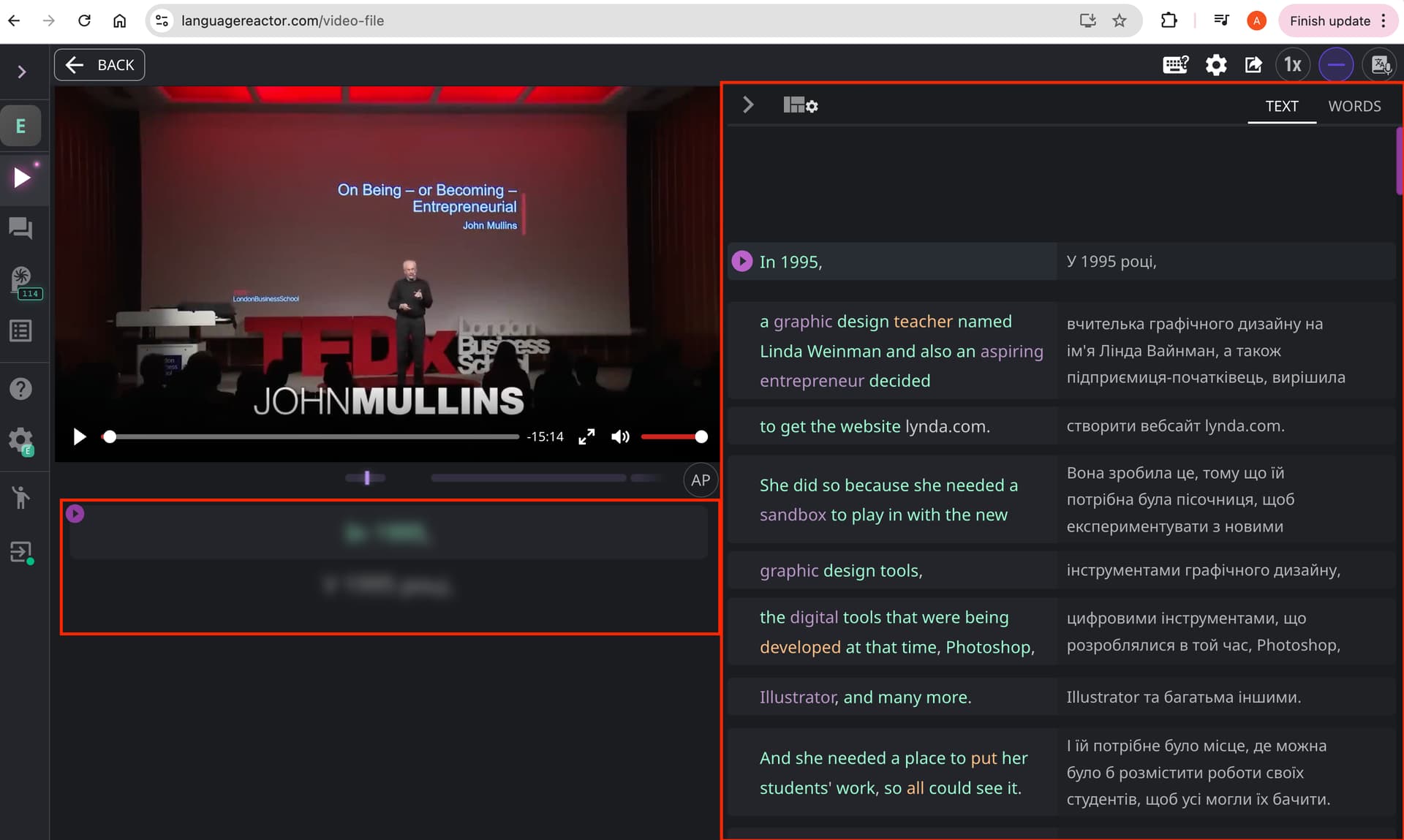
If you select “Subtitles then translation/Translation then subtitles”, the flow will look like in the screenshot. The subtitles and translation will appear blurred and will not draw attention to themselves, but the Subtitles list will be visible.
To reveal the subtitles and translation, press “E” on your keyboard.
Thank you for the reply! I use the extension for YouTube externally so there’s no work around as the “hidden subtitles” still show up on the video player and is quite distracting for longer subtitles. Thank you though, and I look forward to seeing the extension get updated more
@kamicaazi,
You should configure settings for extensions within the extension itself.
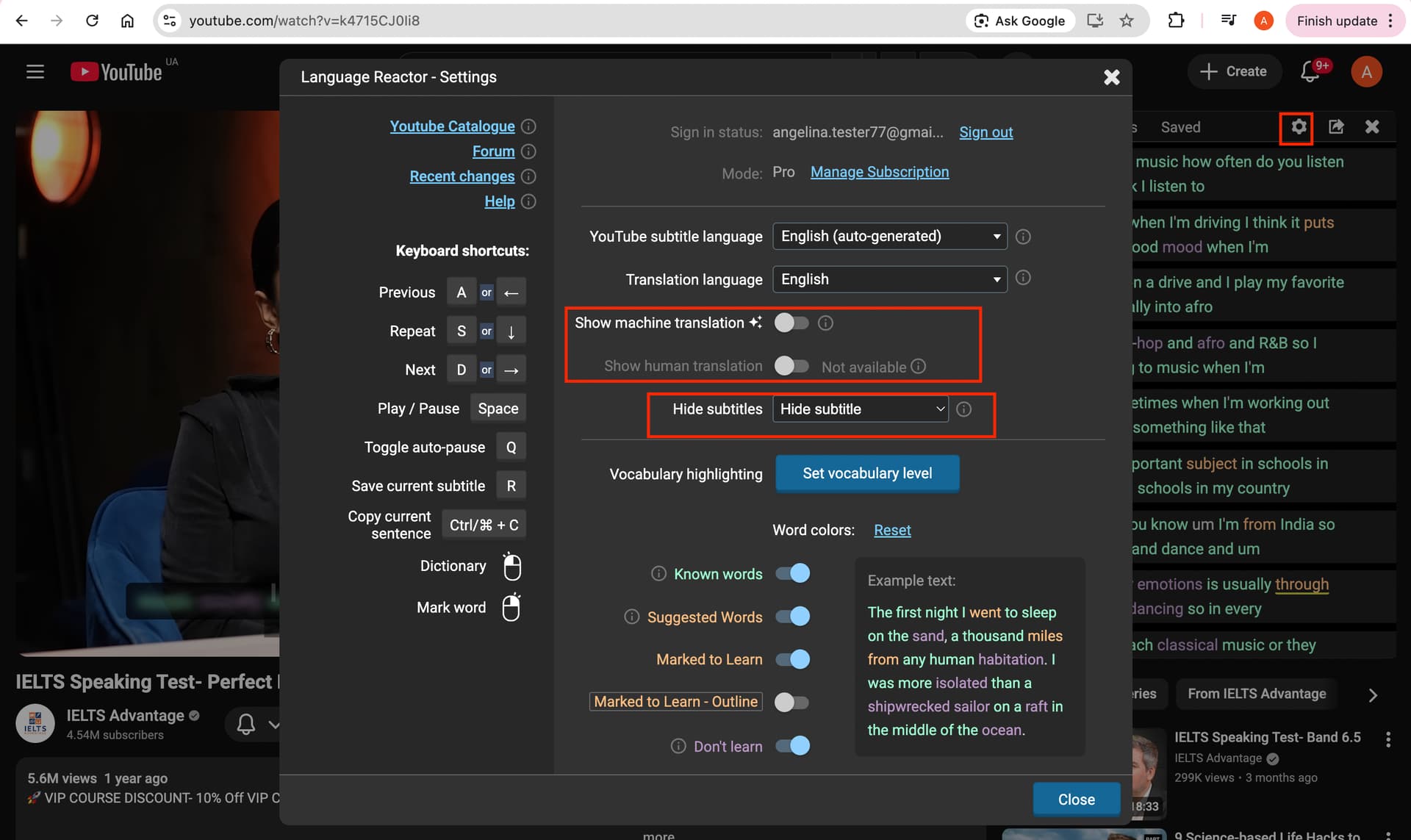
In the Settings window, you can select “Hide subtitles” from Hide subtitles drop-down list and turn off the Show machine/human translation switch. (see screenshot 1)
Then the subtitle block will be lower on the video (since it will not contain a translation).
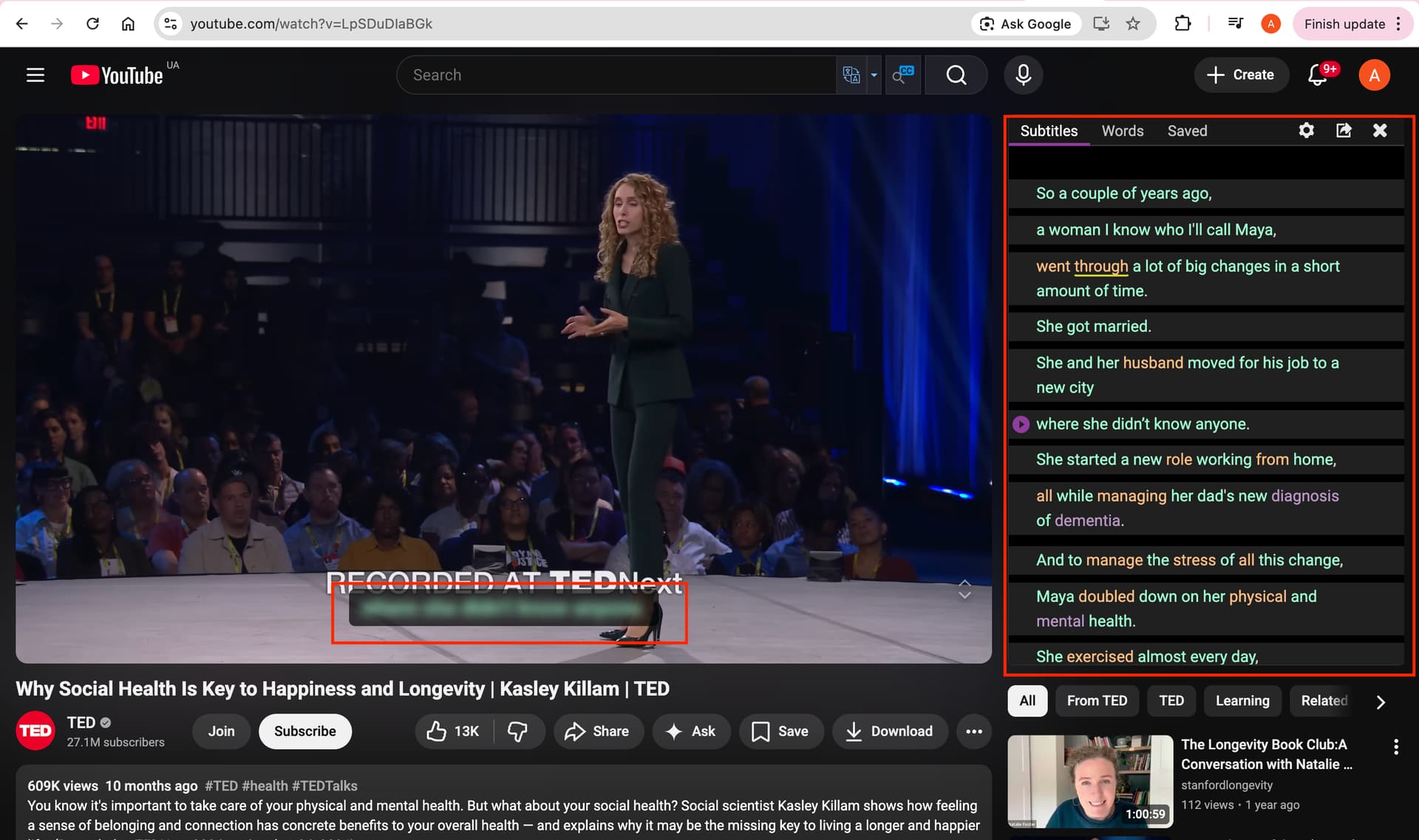
And the subtitles will be blurred.
The list of subtitles is still available. (see screenshot 2)