I installed the extension, but I don’t have dual subtitles at the bottom. A few days ago (about 2–3 weeks ago) everything was working fine. Then I took a break from watching Netflix. Now I want to have both Polish and English subtitles at the bottom, but I only see English subtitles. VPN - USA.
I have reinstalled the extension, reinstalled Chrome, and also tried using Edge. Nothing works.
Yesterday, after restarting the browser many times, it suddenly started working for about an hour. Then I turned off my computer, turned it back on later, and it stopped working again.
What should I do to get dual subtitles back?
Can someone please help?
Hello @Mateusz1,
Do you see any error in the upper right corner that the subtitles have not loaded? Or perhaps the message “Loading subtitles…” in the bottom bar?
Could you send here a link to the movie that isn’t working so we can reproduce the issue?
Hello @Mateusz1
I also have this bug.
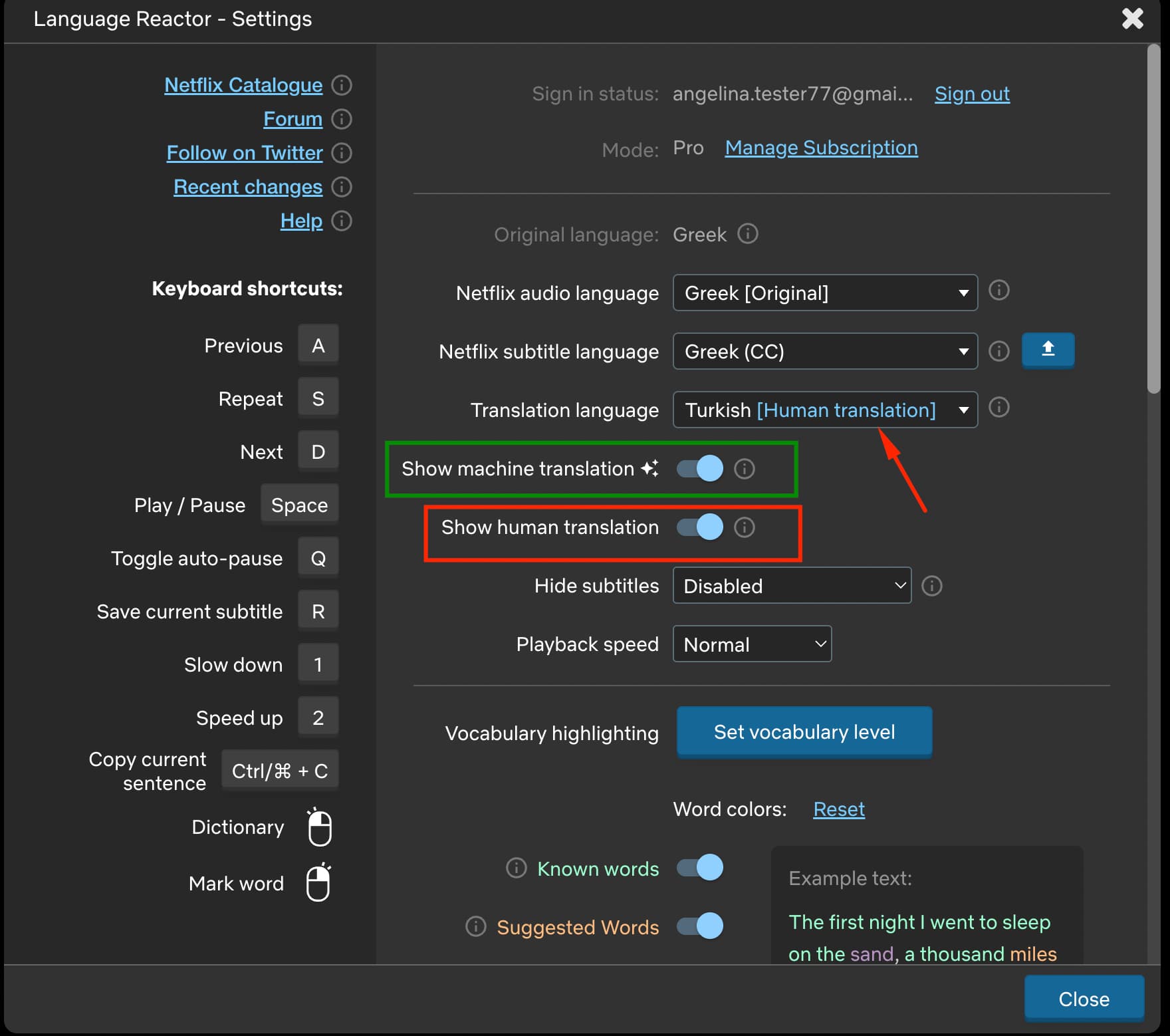
I’m watching a Greek series (Maestro in blue) on Netflix with Greek subtitles and Russian translation subtitles, but the translated subtitles have stopped working. Only the English and Turkish subtitles work — the ones labeled “Human Translation.” All the other translated subtitles don’t work anymore.
@Ashat
Based on your description of the issue, it appears that only “Human Translation” is selected in the settings, while “Machine Translation” is not enabled. This is why you are only seeing translations for languages marked as “Human Translation.” To view machine translations when human translation is not available for a selected language, enable “Machine Translation” in the settings (see screenshot).