Expectation: I can blur the English translation of my target language text, allowing me to guess at the meaning, and then mouse-over the blur to reveal the non-blurred version, confirming my translation’s quality.
Actual result: There is no way to do this and the features I expect would do it, do not.
A link to the video/page you have the bug:
So for me this would occur on: languagereactor [dot] com/c/fr/uu/uu_all_fr/ud_83dd93140c52
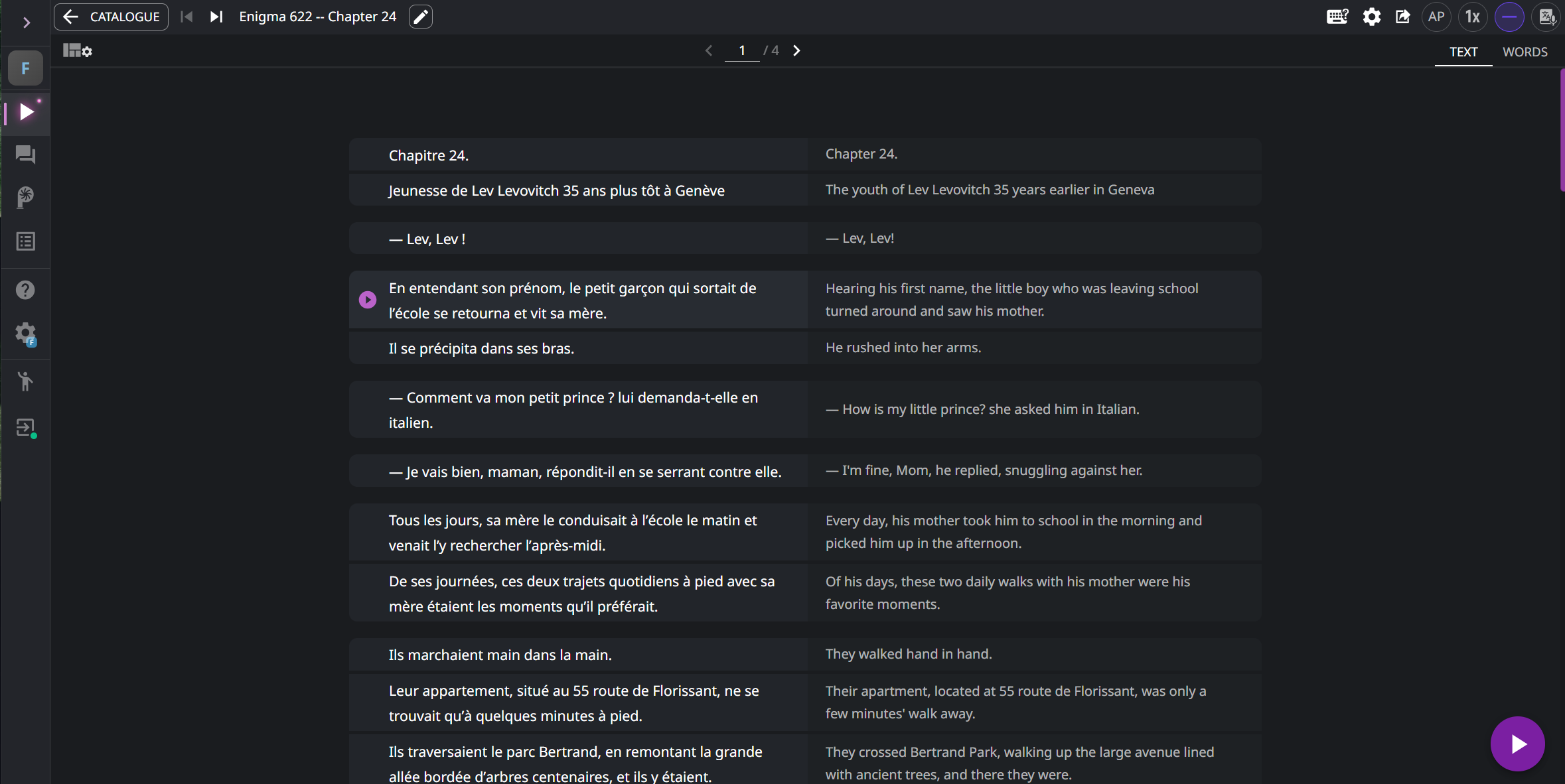
But I doubt that works for you. For me, the page looks like this:
Steps to reproduce:
- go to Language Reactor
- upload a text with a title, ideally in French to match my target language
- click to open the text
- click the layout settings gear top left and choose “Side-by-side”
- click Settings to open Quick Settings. under “Hide Subtitles” choose either (a) “Hide subtitle” or (b) “Subtitle then translation”
- Observe that the translated English text is not obscured, nor blurred in any way.
Here’s what doesn’t work to activate the desired behavior:
top right gear, select any value for the “Hide subtitles” box, including: Hide translations; Hide subtitles; Translation then subtitle; Subtitle then translation.
I expect at least one of these to work. None of them do.
from which country you are having the bug:
I don’t have this bug on YouTube or Netflix: it occurs on languagereactor.com in Canada.
I followed the template to write this post.
I wonder if perhaps the website merely isn’t designed to produce the behavior I want, i.e., it’s a feature, not a bug?