Hi everyone,
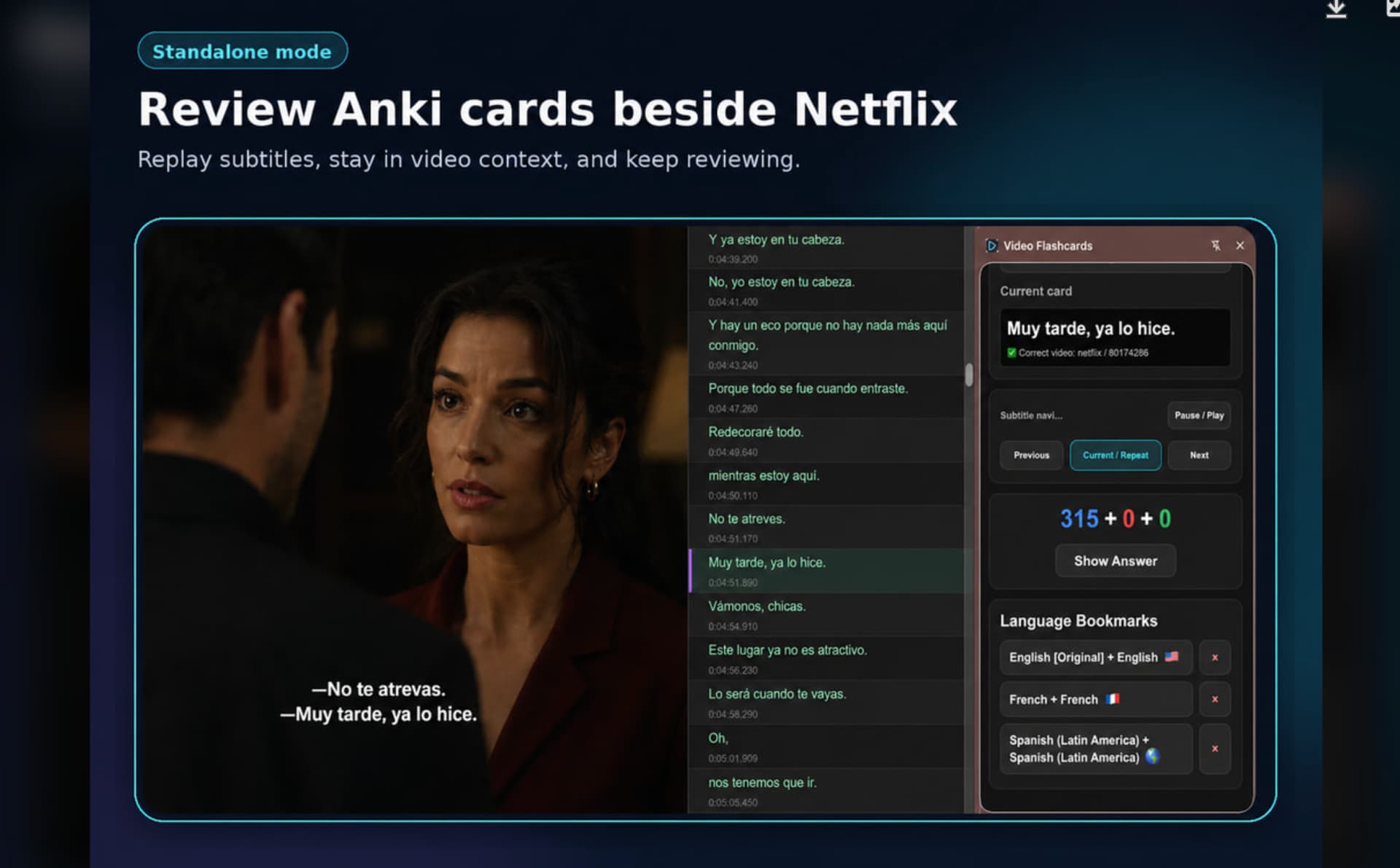
I recently released Video Flashcards, a Chrome extension for language learners who use Anki with Netflix or YouTube.
This is not a replacement for Language Reactor. It is a standalone Chrome extension for Anki users, with optional compatibility with Language Reactor.
The main idea is:
instead of reviewing subtitle-based Anki cards separately from the original video, Video Flashcards lets you review the card directly beside the video and replay the exact subtitle line connected to that card.
Video Flashcards works as a standalone tool, but it can also work alongside Language Reactor for users who already use LR in their study workflow.
Main features:
- Review Anki cards in a Chrome side panel beside Netflix or YouTube
- Replay the current, previous, or next subtitle line
- Jump back to the exact video moment stored in the card
- Switch Anki decks from the side panel
- Export subtitle lines for Anki card creation
- Standalone subtitle workflow
- Optional compatibility with Language Reactor
Requirements:
- Anki Desktop
- AnkiConnect
- Chrome browser
- Netflix or YouTube video with subtitles
Pricing:
- The first 200 reviewed cards are free
- Continued access is available through paid PRO plans
Links:
- Chrome Web Store: Search for Video Flashcards
- Website: in Chrome Web Store and click the app link.
- Setup guide: included on website
I originally built this for my own language-learning workflow because I wanted Anki review to stay connected to the original video scene instead of feeling detached from it.
Feedback, bug reports, and suggestions are very welcome.This is not a replacement for Language Reactor. It is a standalone Chrome extension for Anki users, with optional compatibility with Language Reactor.